AVANIT SXHD 101
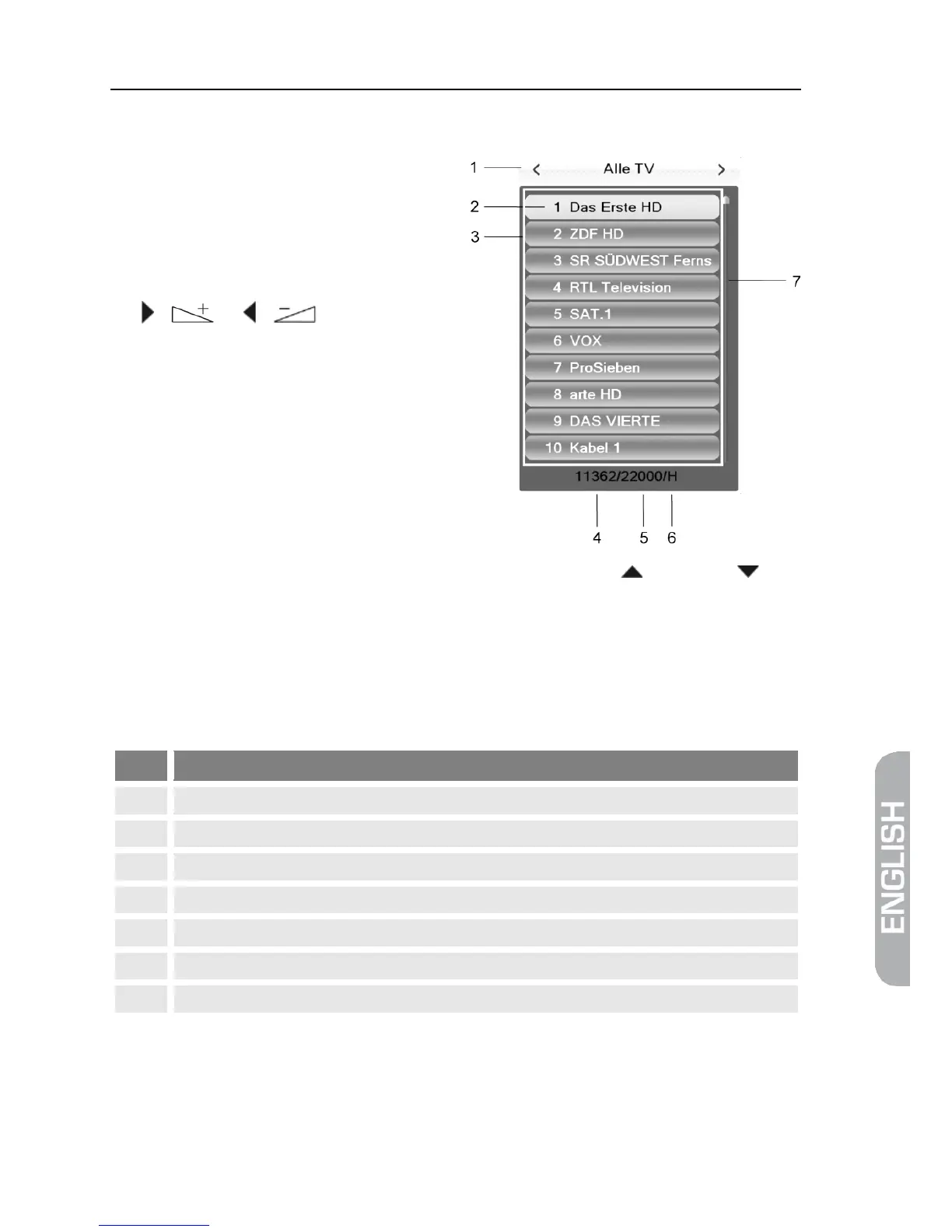
5.8.2 Channel Selection via Selection Window
1. Press the OK key to display a se-
lection window with all available
channels (3).
2. Select the channel list with the
desired channel by using the keys
/ or / (1)
or
Press the FAV key to select from
your favorite lists (see p. 109).
3. Select the channel to be displayed (2) by using the keys / PR+ and /
PR- for single steps or P+ and P- for steps of ten, and confirm your selection
by pressing OK.
The channel will be correspondingly switched.
4. Press OK or EXIT to close the selection window.
Channel selection window:
Display of current channel list
Channels included in the current channel list
Frequency of current channel (example: 33800 is 338.00 MHz)
Symbol rate of current channel (in megasymbols/second)
Polarization of current channel
Scroll bar – shows position of current channel in channel list
5.8.3 Channel Selection via Search Function
The channel lists can be quite comprehensive; correspondingly, the AVANIT
SXHD offers various possibilities to filter the list, search for channels in the list, or
sort the list:



 To Next Page