Page 10 - Overview of the Feature Key Feature Key
Feature Key
Overview of the Feature Key
The Feature key provides access to system features that can be allocated to your
dial pad digits by the System Administrator. For instance, AD (Abbreviated Dial) can be
allocated to dial pad digit 1. Hence, when the
Feature key is pressed, followed by
digit 1, then the call is automatically made to the frequently used number set against
the feature.
Consult your System Administrator for a list of the system features allocated to your
dial pad digits.
System Features Available
This section lists the system features that only the System Administrator can
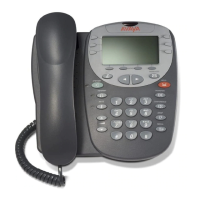
allocate to the twelve dial pad digits of your 5402. For System Features that you can
always access by using short codes, see System Features on page 31.
Please note the following:
• The following system features can only be allocated to the twelve dial pad digits
of your 5402 by your System Administrator.
• Consult your System Administrator for which features have been allocated to
which dial pad digits.
• Having two Call Appearance keys is very useful. When holding a call you can
answer/make another call and then switch between calls or transfer or conference.
If you are set to receive call waiting indication, the waiting call is shown against the
next call appearance key.
Although your System Administrator can replace the Call Appearance Keys
/ with:
• A Bridged Appearance
• A Line Appearance
• Call Coverage Appearance
• System Features
This would severely restrict the use of features such as conference and transfer.
It is for these reasons that it is strongly recommended that all
Call Appearance keys remain at their default settings.
• Throughout the following paragraphs, the phrase “pressing Feature and then
the relevant dial pad digit” is used for activating/de-activating the feature allocated
to a dial pad digit.
• For each applicable feature, the command path that your System Administrator
would use is given for reference only. These command paths do not apply to your
telephone.
• Throughout, where system features are not applicable to or supported on 5402
telephones, the statement “This function is currently not supported on the 5402
telephone” is made.
CAUTION: Early models of the 5402 telephone will not, on IP Office R3.0 with Call
Appearance keys, respond with the full and correct displays in all cases.
Consult your System Administrator for details.
Page 10 - Feature Key IP Office (R3.0) 5402 User’s Guide
Overview of the Feature Key 40DHB0002UKFC – Issue 1 (5th February 2005)


 To Next Page