Page ii - Contents
Contents
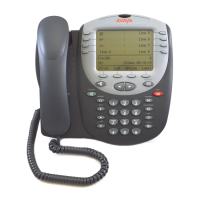
The 5402 Telephone ............................................................................. 5
Overview of the 5402..................................................................................................... 5
Call Appearance Keys ................................................................................................... 6
Call Appearance Key Icons............................................................................................................. 6
System Features............................................................................................................................. 6
Basic Call Handling Features .............................................................. 7
Answering a Call............................................................................................................ 7
Making a Call................................................................................................................. 7
Clearing a Call ............................................................................................................... 7
Redial............................................................................................................................. 7
Headset Working ........................................................................................................... 8
Speaker .........................................................................................................................8
Mute............................................................................................................................... 8
Hold ............................................................................................................................... 8
Transfer ......................................................................................................................... 9
Conference .................................................................................................................... 9
Message ........................................................................................................................ 9
Feature Key ......................................................................................... 10
Overview of the Feature Key ....................................................................................... 10
System Features Available ........................................................................................................... 10
Dial.........................................................................................................................................11
Group ..................................................................................................................................... 11
User ....................................................................................................................................... 11
Absnt - Set Absent Text .........................................................................................................11
Acct - Account Code Entry..................................................................................................... 11
AD - Abbreviated Dial.............................................................................................................11
Admin - Self-Administer .........................................................................................................11
Apear - Appearance............................................................................................................... 12
AutCB - Automatic Callback................................................................................................... 12
Busy - Busy............................................................................................................................12
BusyH - Busy On Held ........................................................................................................... 12
CFrwd - Call Forwarding All ................................................................................................... 13
ClrCW - Clear CW.................................................................................................................. 13
CnfRV - Conference Meet Me................................................................................................ 13
Conf+ - Conference Add ........................................................................................................ 13
CPark - Call Park ...................................................................................................................14
CPkUp - Call Pickup...............................................................................................................14
CWOn - Call Waiting On ........................................................................................................ 14
CWOff - Call Waiting Off ........................................................................................................14
CWSus - Call Waiting Suspend ............................................................................................. 14
DCW - Dial CW ...................................................................................................................... 15
Dir - Directory.........................................................................................................................15
Dirct - Dial Direct.................................................................................................................... 15
DNDon - Do Not Disturb On................................................................................................... 15
DNDoff - Do Not Disturb Off................................................................................................... 15
DNDX+ - Do Not Disturb Exception Add................................................................................ 15
DNDX - Do Not Disturb Exception Delete .............................................................................. 16
DPkUp - Directed Call Pickup ................................................................................................ 16
Page ii IP Office (R3.0) 5402 User’s Guide
Contents 40DHB0002UKFC – Issue 1 (5th February 2005)



 To Next Page