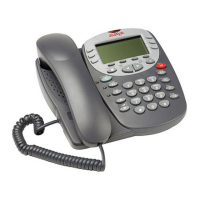
Page 28 - Overview of the Feature Key Feature Key
Ride - Ride Call
Unpark a parked call from a system park slot or a defined extension.
This function cam be programmed with or without the park slot/extension number being
specified.
Pressing
Feature and then the relevant dial pad digit unparks any call previously
parked into the specified system park slot by the same or another extension.
[User | Digital Telephony | Advanced | Call | Ride Call]
See also:
• CPark - Call Park on page 14.
• Park - Park on page 23.
• Park - Call Park to Other Extension on page 24.
RngOf - Ringer Off
Switches the phones audible ringer on/off and does not require any data to be entered
when programmed.
Pressing
Feature and then the relevant dial pad digit toggles the phones call
ringer on/off.
[User | Digital Telephony | Emulation | Ringer Off]
See also:
• CWOn - Call Waiting On on page 14.
• HfAns - Internal Auto-Answer on page 20.
SAC - Send All Calls
Switches ‘do not disturb’ mode on/off.
This function does not require any data entered when programmed.
Pressing
Feature and then the relevant dial pad digit switches "do not disturb"
on/off. When on, the display includes an N (No calls).
When SAC is on, callers receive busy tone or are diverted to voicemail. For each user
the System Administrator can set which numbers can still call when SAC is on. If the
extension user has Phone Manager, they can set those numbers themselves. With a
call already connected and another call already alerting, activating SAC will not affect
the already alerting call.
[User | Digital Telephony | Emulation | Send All Calls]
See also:
• DNDon - Do Not Disturb On on page 15
• DNDX+ - Do Not Disturb Exception Add on page15.
Spres - AD Suppress
Replace the display of dialed digits with s characters.
This function does not require any data entered when programmed.
Pressing
Feature and then the relevant dial pad digit key toggles the display of
dialed digits on/off. When on, dialed digit are replaced by s on the display.
[User | Digital Telephony | Emulation | AD Suppress]
Page 28 - Feature Key IP Office (R3.0) 5402 User’s Guide
Overview of the Feature Key 40DHB0002UKFC – Issue 1 (5th February 2005)



 To Next Page