29
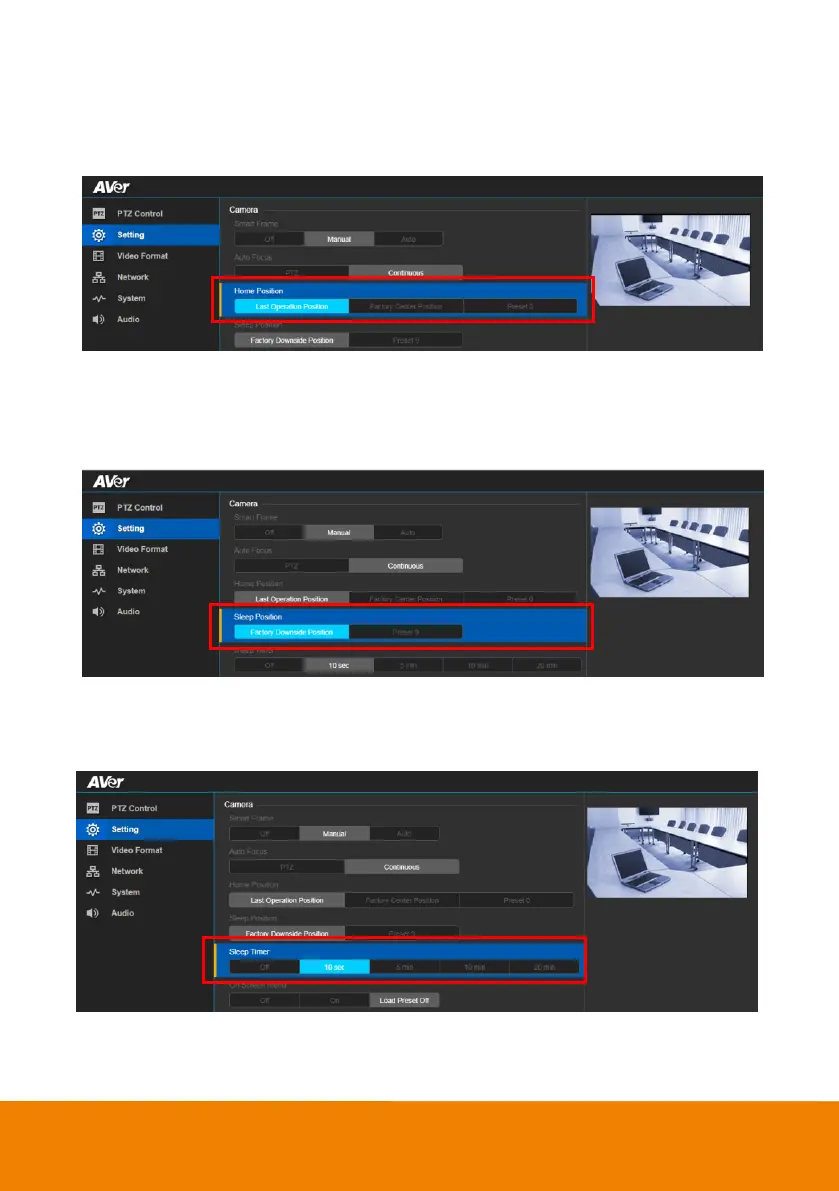
Home Position
Set the home positon for camera to return.
In live screen view, select Setting > Camera > Home Position > Last Operating Position, Factory
Center Position or Preset 0.
Sleep Position
When the camera idles for more than 3 minutes, it will enter sleep mode.
In live screen view, select Setting > Camera > Sleep Position > Factory Downside Position or
Preset 9.
Sleep Timer
Set the camera idle time to enter sleep mode.
In live screen view, select Setting > Camera > Sleep Timer > Off, 10sec, 5min, 10min or 20min.



 To Next Page