57
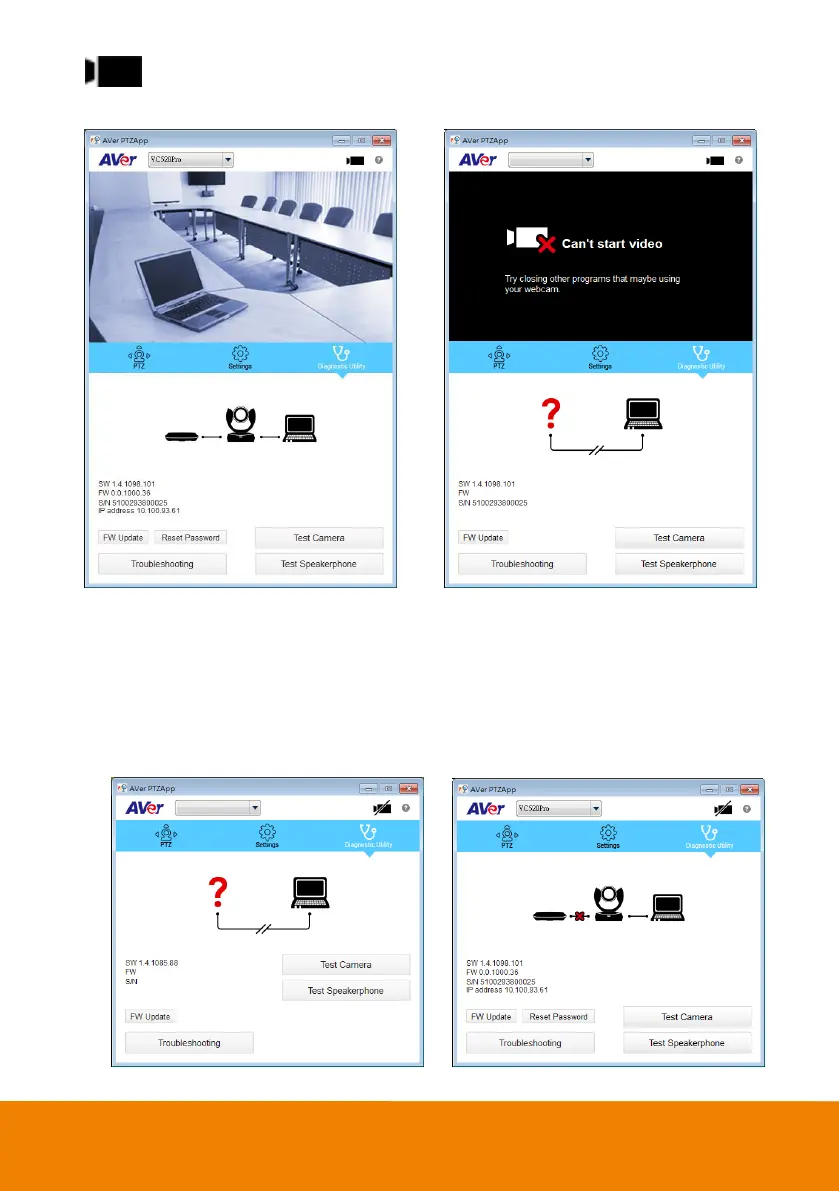
(Camera): Click it to view the camera live view. Click the camera icon again to close the
camera live view. If the live video does not appear, please check the camera and the laptop/PC
connection to make sure all connections are correct and well connected.
Normal Un-normal
Connection diagnostic: Display devices connection status. If the AVer PTZApp has detected that
camera and laptop/PC are not connected well, the diagram will display an “?” on the camera to
indicate the connection has a problem. If the camera is in use by another application, it will display
“Can’t start video” warning. When the speakerphone cannot be detected, an “X” is display on the
diagram.



 To Next Page