EasyManua.ls Logo

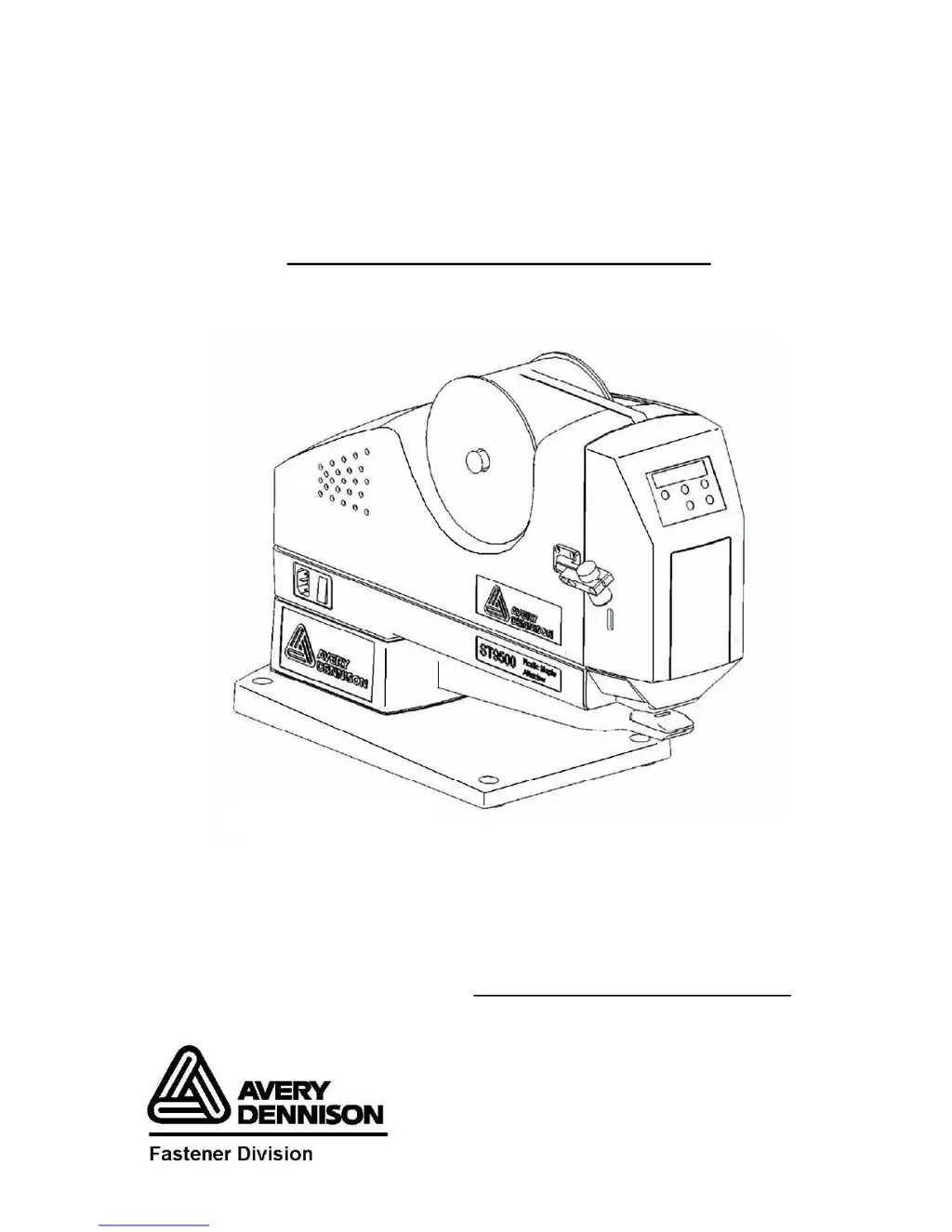
Avery Dennison ST9500 - User Manual

Avery Dennison ST9500
80 pages
Print Icon
To Next Page IconTo Next Page
Loading...
1
ST9
ST9ST9
ST95
55
500™
00™00™
00™
Plastic Staple
Plastic StaplePlastic Staple
Plastic Staple
®
®®
®
Attacher
AttacherAttacher
Attacher
Item # 15000
Operator and
Operator andOperator and
Operator and
Service Manual
Service ManualService Manual
Service Manual
©
©©
©
Part No. 3-05-0100-01 Rev. 1
Patent(s) Pending

Questions and Answers

  • K
    Kathleen FloresAug 14, 2025
    What to do if Avery Dennison ST9500 does not actuate?
    • D
      Dawn RobertsonAug 15, 2025
      If the Avery Dennison Power Tool does not actuate, there could be several reasons. First, check that the power cord is properly connected and the switch is powered on. Second, ensure the front door is closed properly so that the interlock switch is engaged. Lastly, inspect the connections of wires, cables, and connectors related to power, motor, and the switch to make sure they are secure.
  • Z
    Zachary Mendoza DDSAug 18, 2025
    Why Avery Dennison ST9500 Power Tool network cannot get connected?
    • A
      Alan SimpsonAug 18, 2025
      If your Avery Dennison Power Tool can't connect to the network, the issue might be due to a loose network connector. Ensure it's properly connected. Also, verify that the IP address is correctly set up.
  • M
    Mr. Larry MorganAug 21, 2025
    What to do if Avery Dennison ST9500 Power Tool actuates abnormally?
    • M
      Mary McphersonAug 21, 2025
      If the Avery Dennison Power Tool actuates abnormally, consider these potential causes: * Check the sensor connection to ensure it's properly connected. * Verify the sensor position and ensure the screws are not loose, and the sensor bracket is correctly positioned so that the head always stops at the top. * If you're working with fabric, reduce the layers if they are too thick for the motor. * Inspect the coupling of the stepping motor to ensure it is not loose.
  • A
    Amber LoweAug 25, 2025
    What to do if Avery Dennison ST9500 fastener is not being cut?
    • K
      keithhahnAug 26, 2025
      If the fastener is not being cut by the Avery Dennison Power Tool, make sure the flat edge of the knife is facing up and replace the knife if it is dull. Also, replace the knife cam spring if it is broken.
  • D
    David GloverAug 28, 2025
    What to do if Avery Dennison ST9500 Power Tool fastener is not ejecting?
    • D
      Dana CamachoAug 28, 2025
      If the fastener is not ejecting from your Avery Dennison Power Tool, there are a few things to check. First, replace the ejector rods if they are bending and readjust the slide. Next, check that the knife can move freely. Finally, replace the knife lever spring if it is broken.
  • M
    Mr. Timothy Hernandez MDAug 31, 2025
    Why Avery Dennison ST9500 serial port cannot get connected?
    • T
      Theresa RojasSep 1, 2025
      If the serial port (RS232) on your Avery Dennison Power Tool cannot connect, first check the connection to ensure it is not loose. Secondly, verify that the correct COM port is selected.
  • M
    Matthew PotterSep 3, 2025
    What to do if Avery Dennison ST9500 panel buttons do not operate?
    • E
      edwardsanchezSep 3, 2025
      If the panel buttons on the Avery Dennison Power Tool do not operate, try restarting the machine, as the issue may be firmware-related.
  • M
    Mark HillSep 7, 2025
    What to do if Avery Dennison Power Tool LCD displays unstably?
    • R
      Regina CarterSep 7, 2025
      If the LCD on your Avery Dennison Power Tool displays unstably, check the 20P connector to ensure it is properly connected.
  • M
    Mike MccoySep 12, 2025
    How to fix no back light on LCD display of Avery Dennison Power Tool?
    • B
      Belinda AndersonSep 12, 2025
      If there is no back light on the LCD display of your Avery Dennison Power Tool, the LED lighting for the LCD display may be damaged. Replace the LCD display module.

Summary

Important Safety Instructions

Chapter 2 Installation

Unpacking the ST9500

Instructions for checking contents, removing the unit, and inspecting for damage.

Mounting the ST9500

Instructions for deciding how to mount the unit to a stable surface.

Chapter 3 Operation

Operating the Front Panel

Explains the panel's general description, display functions, and button functions.

Loading Fasteners

Steps for turning off power, opening the door, placing fasteners, and cutting the end.

Inserting a Fastener into a Garment

Steps to place garment/tag, press foot pedal, and reposition for next fastener.

Chapter 5 Parts Replacement

Chapter 6 Troubleshooting

ST9500 Doesnt Actuate or Actuates Abnormally

Lists symptoms, probable causes, and actions for actuation issues.

Panel Doesnt Display or Works Abnormally

Lists symptoms, probable causes, and actions for panel display or button issues.

Host Software Application Doesnt Function Properly

Lists symptoms, probable causes, and actions for host software connectivity.

Fastener Problems

Lists symptoms, probable causes, and actions for feed jam, cutting, and feeding issues.

Ejection Problems

Lists symptoms, probable causes, and actions for fastener ejection issues.

Chapter 7 Routine Maintenance and Lubrication

Avery Dennison ST9500 Specifications

General IconGeneral
BrandAvery Dennison
ModelST9500
CategoryPower Tool
LanguageEnglish