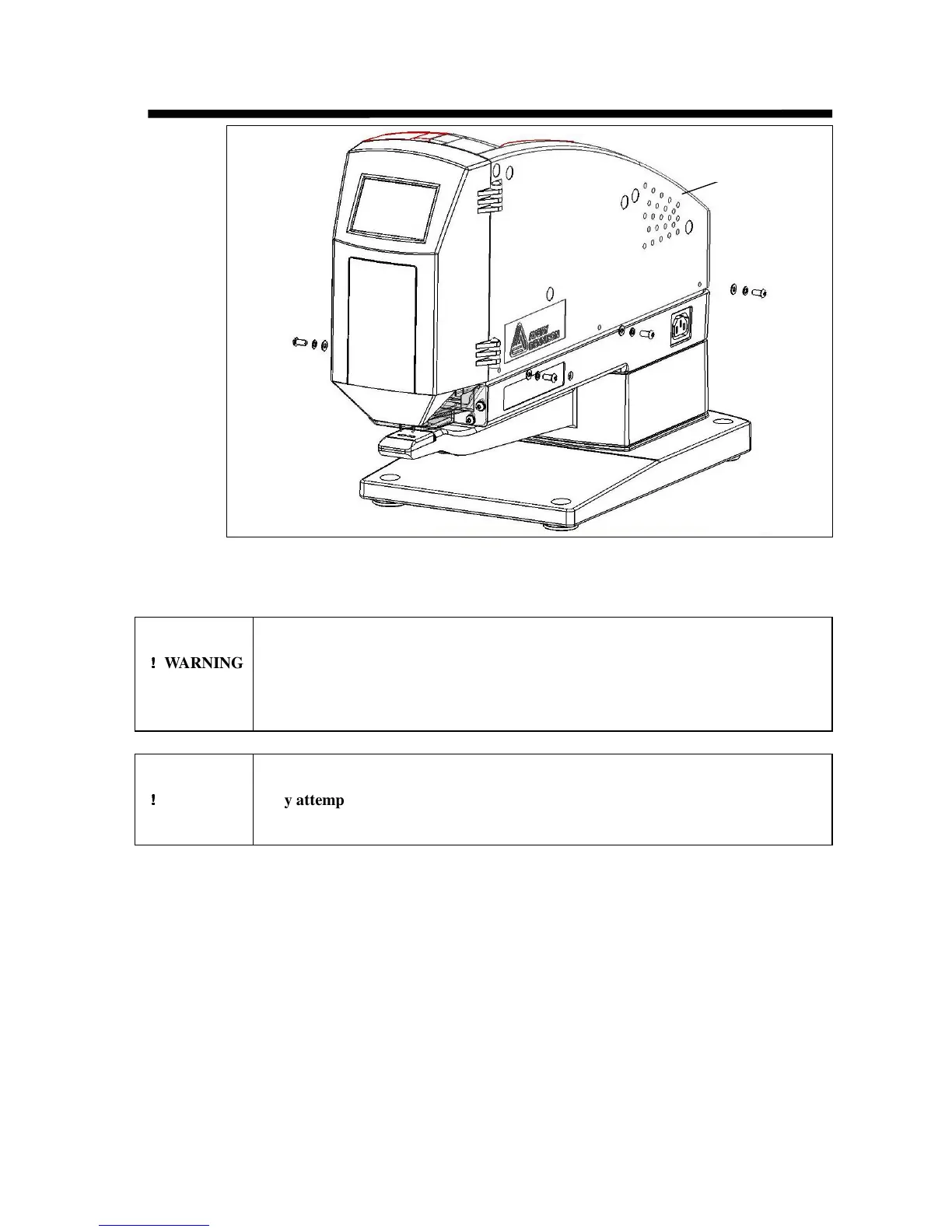
Removing the Enclosure
Do not attempt to remove the enclosure, or service or disassemble
!
!!
!
WARNING any component while the ST9500 is connected to a power source.
Disconnect the power cord before attempting to replace any
components.
Do not operate the ST9500 with the enclosure removed or make
!
!!
!
WARNING any attempt to defeat the enclosure or interlock switch. Moving parts
and shock hazard may cause serious personal injury.
1. Unplug the unit.
2. Remove the fastener reel.
3. Remove the fastener reel holder.
4. Remove the four screws holding the enclosure to the frame.
5. Open the front door.
6. Slide the enclosure to the rear and remove.
Enclosure


 To Next Page