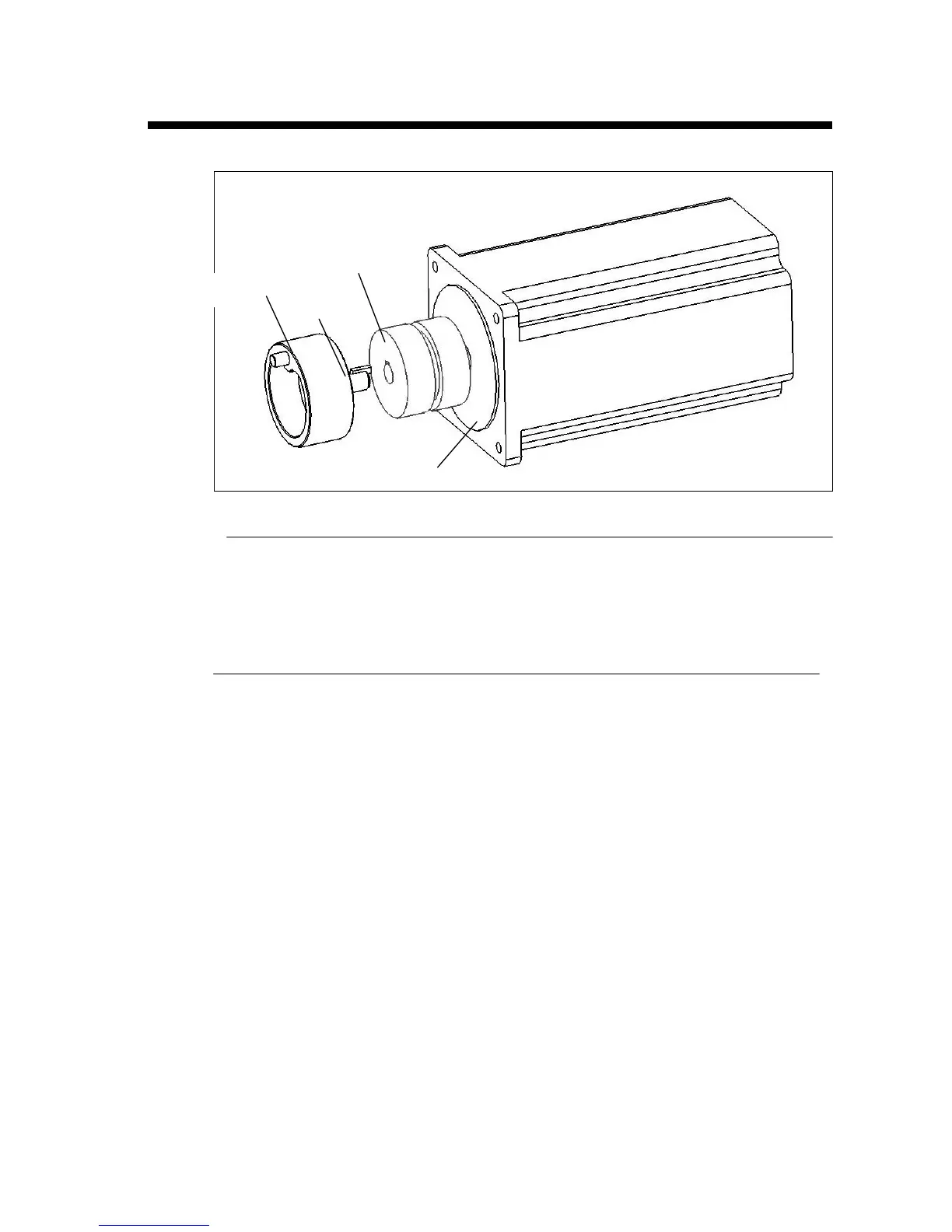
Replacing the Crank Arm
Disassembly
1. Unplug the unit.
2. Remove the motor, clutch, and crank arm assembly (see page 45).
3. Remove the screws holding the crank arm.
4. Remove the crank arm.
Assembly
1. Place the Key in the slot of crank arm.
2. Place the crank arm on the face of the coupling, aligning the pin on the crank arm
with the cog on the coupling.
3. Insert and tighten the screws.
Crank Arm
Coupling
Key
Motor Holder


 To Next Page