Mounting the ST9500
TM
.
WARNING With the base rotated, the ST9500 will not stand unsupported
without tipping.
2. Position the ST9500 on the work surface and mark the location of the four
mounting holes in the base.
3. Drill four mounting holes in the work surface for the mounting bolts.
4. Bolt the ST9500 to the work surface.
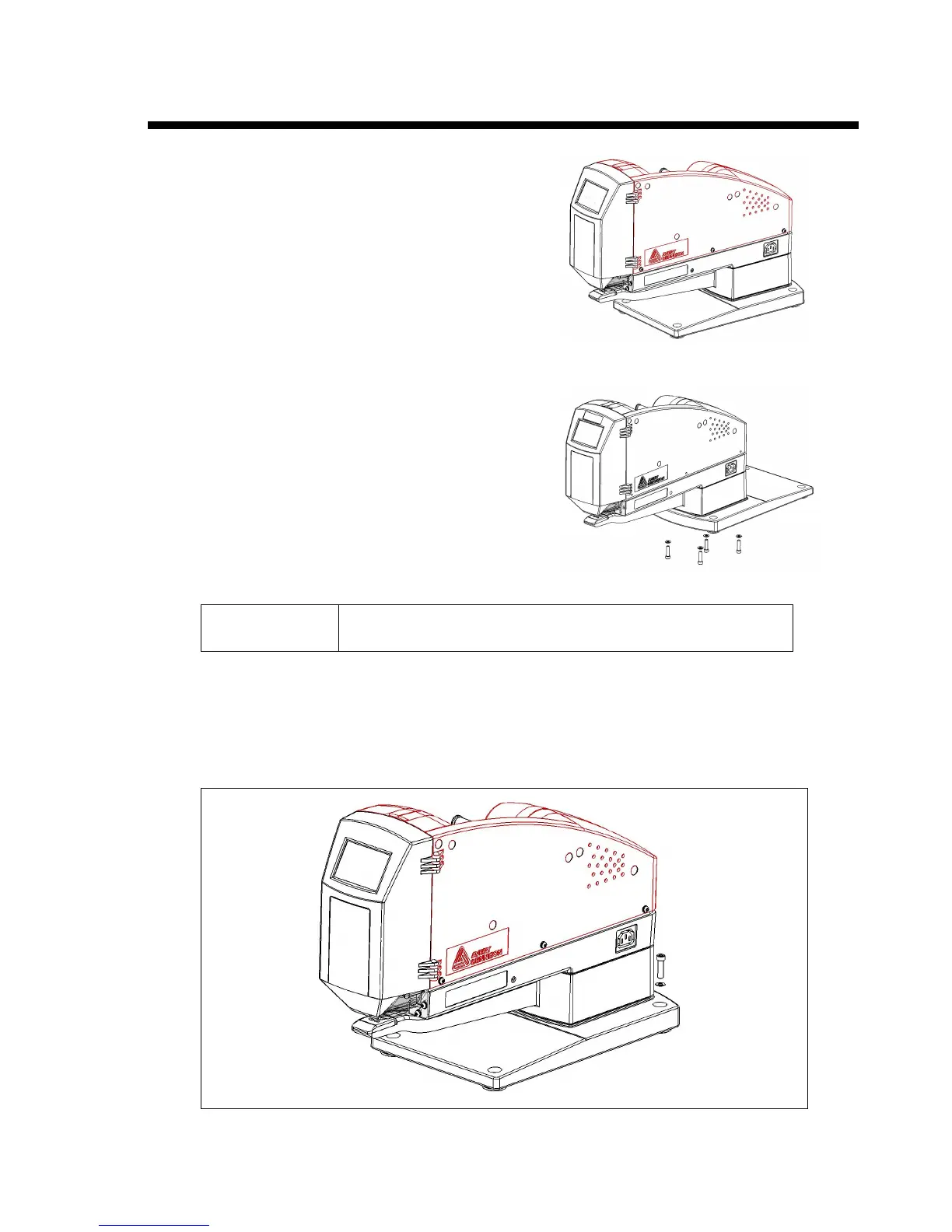
1. Decide how to mount the ST9500. The
ST9500 must be bolted to a stable, heavy work
surface. When shipped from the factory, it is set
up as shown to the right.
If you require more clearance between the
ST9500 and the mounting surface, you can rotate
the base 180 degrees for
overhanging edge of bench operation. To reverse
the base, remove the four bolts from the bottom
of the base, rotate the base and replace the bolts.


 To Next Page