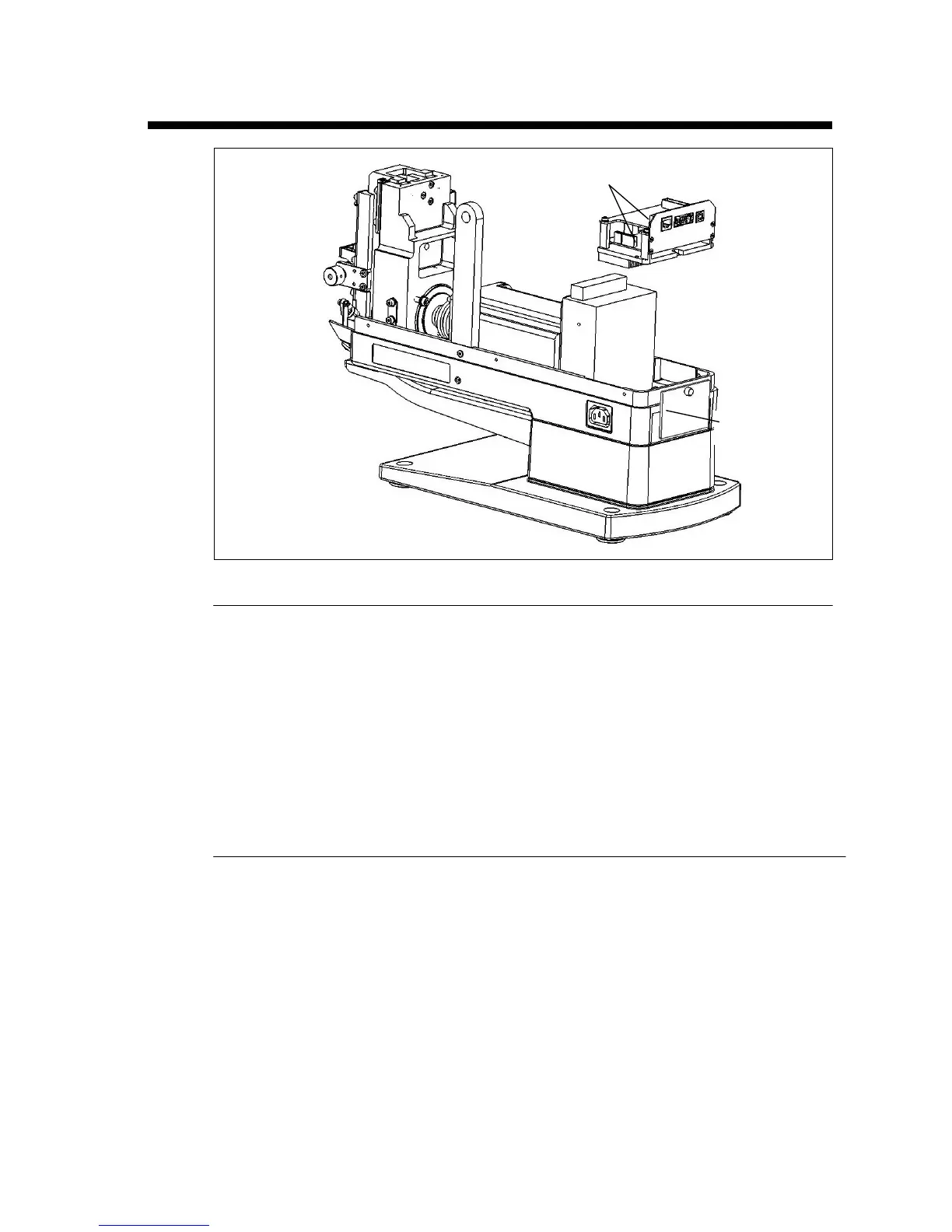
Replacing the Circuit Board
Disassembly
1. Unplug the unit.
2. Remove the reel support and the enclosure.
3. Loosen but don’t remove the thumb screw on the Rear Door, rotate the Rear Door
by 180 degrees and hang it on the thumb screw.
4. Disconnect the connectors.
5. Remove the three screws holding the circuit board.
6. Remove the circuit board assembly (the upper layer is MCU controller while the
lower layer is Motor Driver).
Assembly
1. Position the circuit board so the four holes in the board align with the screw
holes in the frame.
2. Insert and tighten the screws.
3. Connect the connectors.
4. Replace the Rear Door, Enclosure and Reel Support.
Circuit board
Rear Door


 To Next Page