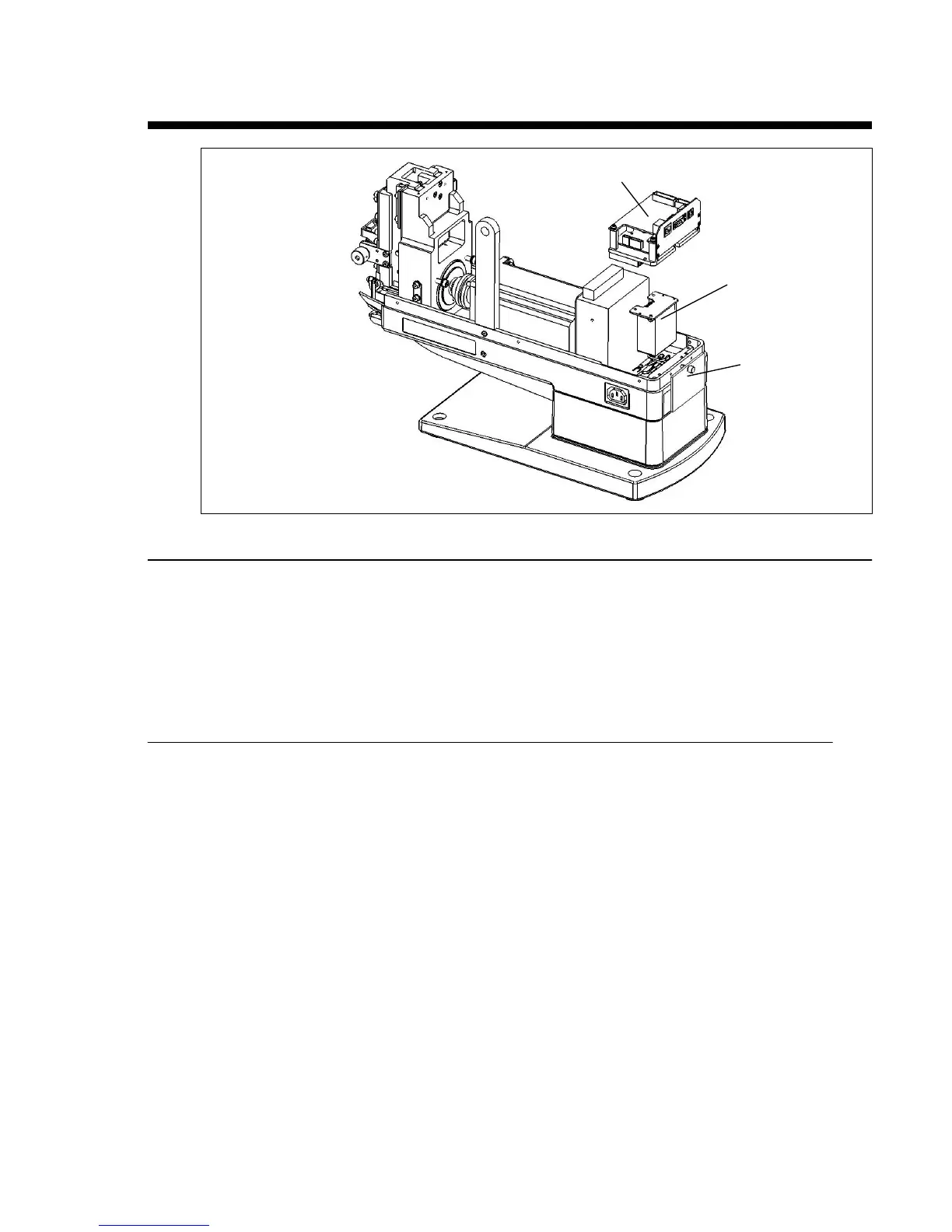
Replacing the Capacitor
Disassembly
1. Unplug the unit.
2. Remove the reel support and the enclosure.
3. Loosen but don’t remove the thumbscrew on the Rear Door, rotate the Rear Door by 180
degrees and hang it on the thumbscrew.
4. Remove the circuit board (see page 46).
5. Remove the two ground screws and take out the Capacitor.
Assembly
1. Position the Capacitor and tighten the screws.
2. Position the Circuit Board Assembly and tighten the screws.
3. Connect the connectors.
4. Replace the enclosure and the reel support, and Rear Door.
Circuit board assembly
Capacitor
Rear Door


 To Next Page