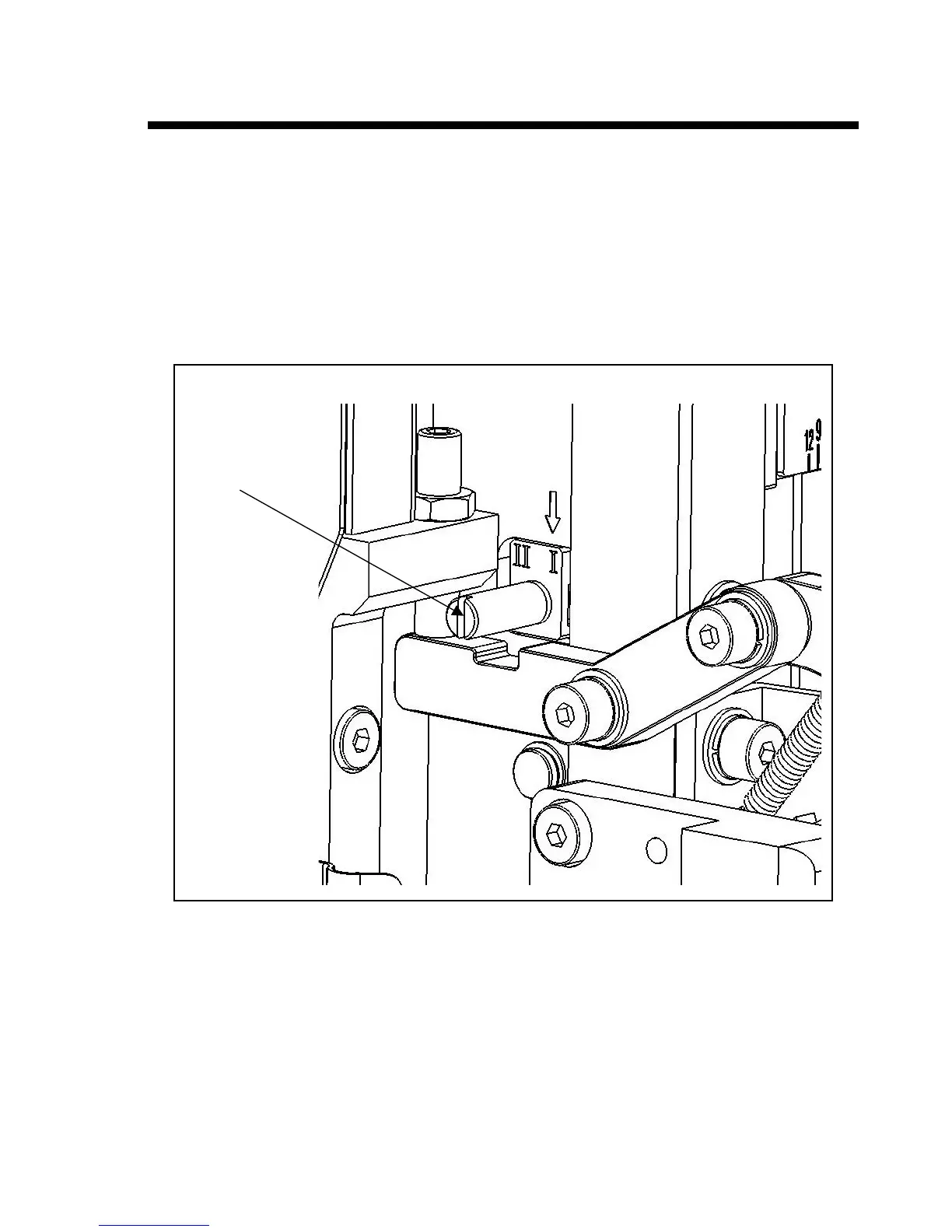
Double Shot Mode and Single Shot Mode Switch
1. Open the front door.
2. Use a screw driver to loose the Mode Switch Knob;
3. Use the Mode Switch Knob to switch the shot mode between double shot and single shot. In double
shot mode, the machine feeds two pieces of staples at a cycle, while in single shot mode the machine
feeds one piece of staple at a cycle.
4. When the arrow in the picture below points to “I” the machine works on single shot mode, while the
arrow points to “II” the machine works on double shot mode.
5. Tighten the screw of Mode Switch Knob after switching.
Mode Switch Knob


 To Next Page