IFD500 Series Pilot Guide
FMS Subsystem 3-3
Flight Plan Views
The view of the flight plan can be adjusted to meet user
preferences or mission requirements. Three controls are
available to alter the view:
“View” LSK
Mini Flight Plan Format
Split view tab
View LSK
The View LSK controls the content of flight plan rows. When the
full flight plan page is displayed, the View LSK can be set to
either “Expanded” or “Compact”.
Typically, the view is set to “Expanded”, which causes each row
in the flight plan to represent a leg in the flight plan. This view is
useful to track progress during the flight.
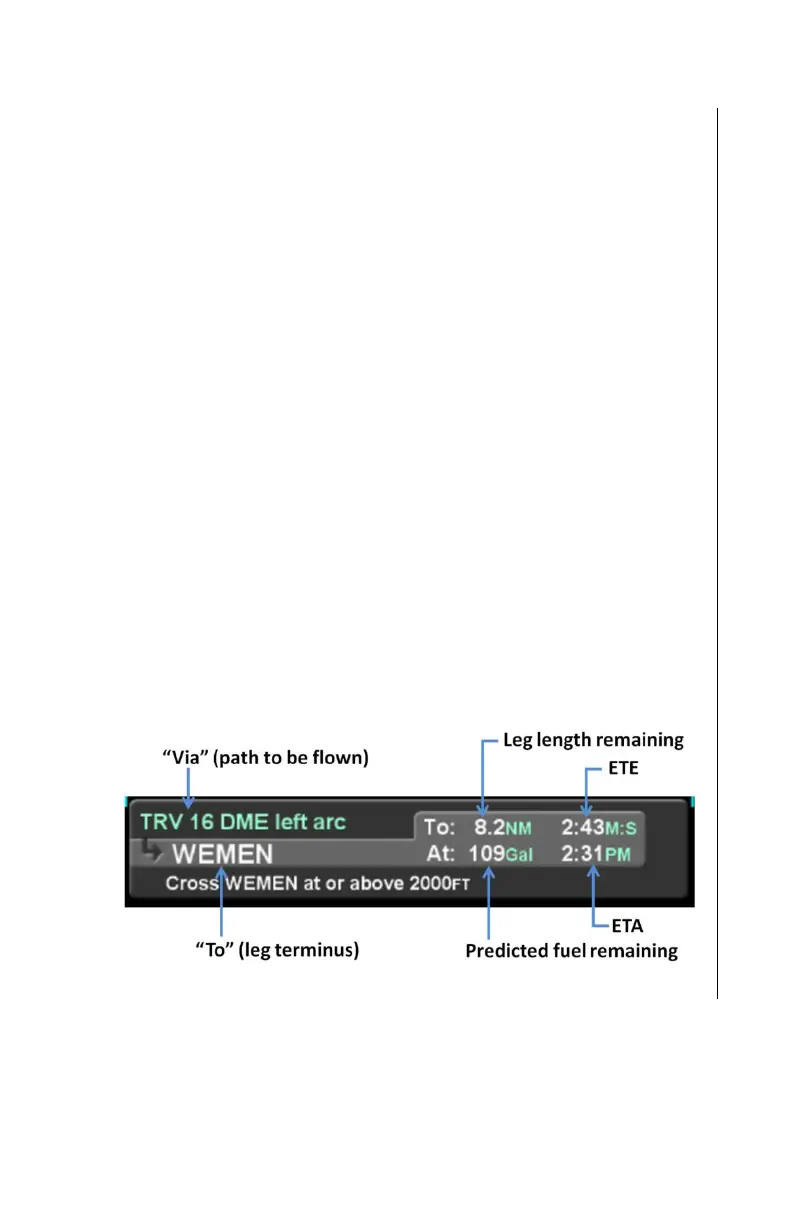
In expanded view, displayed to the right of the “to” field is a set of
statistics for the leg, arranged in two lines. The first line contains
the distance and time remaining on that leg (i.e. the remaining leg
length and the ETE). The second line contains predicted fuel
remaining (if equipped) and time (i.e. ETA) when the aircraft
reaches the end of the leg.



 To Next Page