11
A320 PersonAl Mixer User GUide
Make Your First Mix
After plugging headphones or earbuds into the rear-panel Stereo Mix Out jack, you are ready to make your
first mix on the A320.
Set Channel Volumes
Start by turning up the volume level of the most important channels, those that supply the essential
elements you need most in a monitor system while performing, singing and/or playing an instrument—
channels that provide critical timing and pitch reference cues.
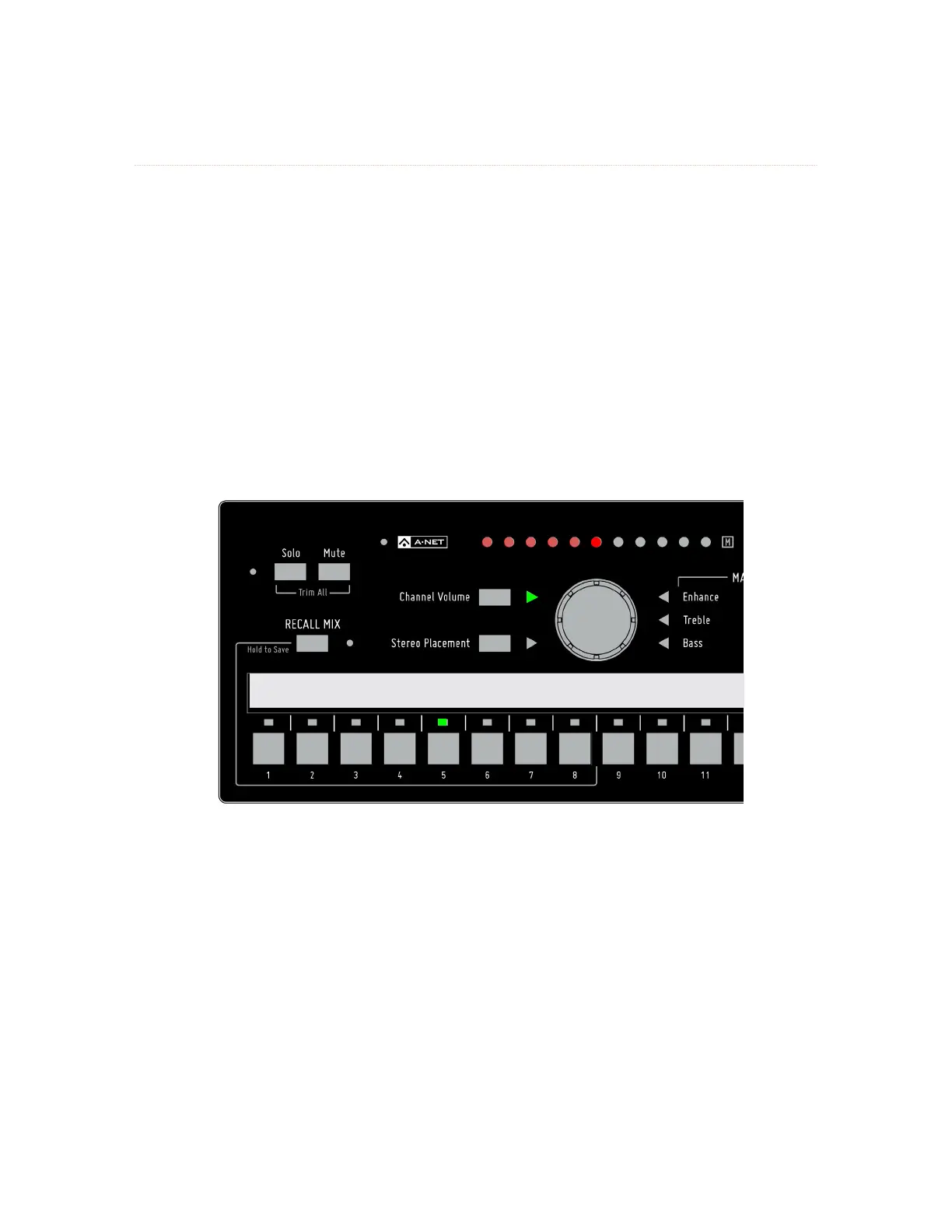
• Press a channel button to select a mix channel for editing; the green LED above the
channel button lights.
• The green triangle LED next to the ChANNel VoluMe button should be lit. If it’s not, press
the ChANNel VoluMe button to light it.
• Turn the central control knob to raise the level of the selected channel. The channel’s
volume is shown in the row of red LEDs across the top of the A320.
Kick Sn Cymbals Bass Piano Voc1 Voc2 Voc3 Gtr1 Gtr2 Organ S
t
Stereo Stereo Stereo Stereo
Channel 5 is selected for editing.
The volume setting for each channel in your mix will be saved when you store a mix preset.



 To Next Page