37
A320 PersonAl Mixer User GUide
16-Channel Systems
When a single analog input module or console card is used with A320 personal Mixers, the A320 should be
set to 16-channel mode (hold Mute and ChANNel 1 on power up). Each input channel on the input device
is mapped to one mix channel button in sequential order. For example, if the input source connected to
channel 1 of an AN-16/i v.2 Input Module is a vocal, that vocal signal will appear on button 1 of the A320.
How Stereo Links Work in a 16-Channel System
The Pro16 version of A-Net allows a total of 16 channels to be sent from an input device to personal mixers.
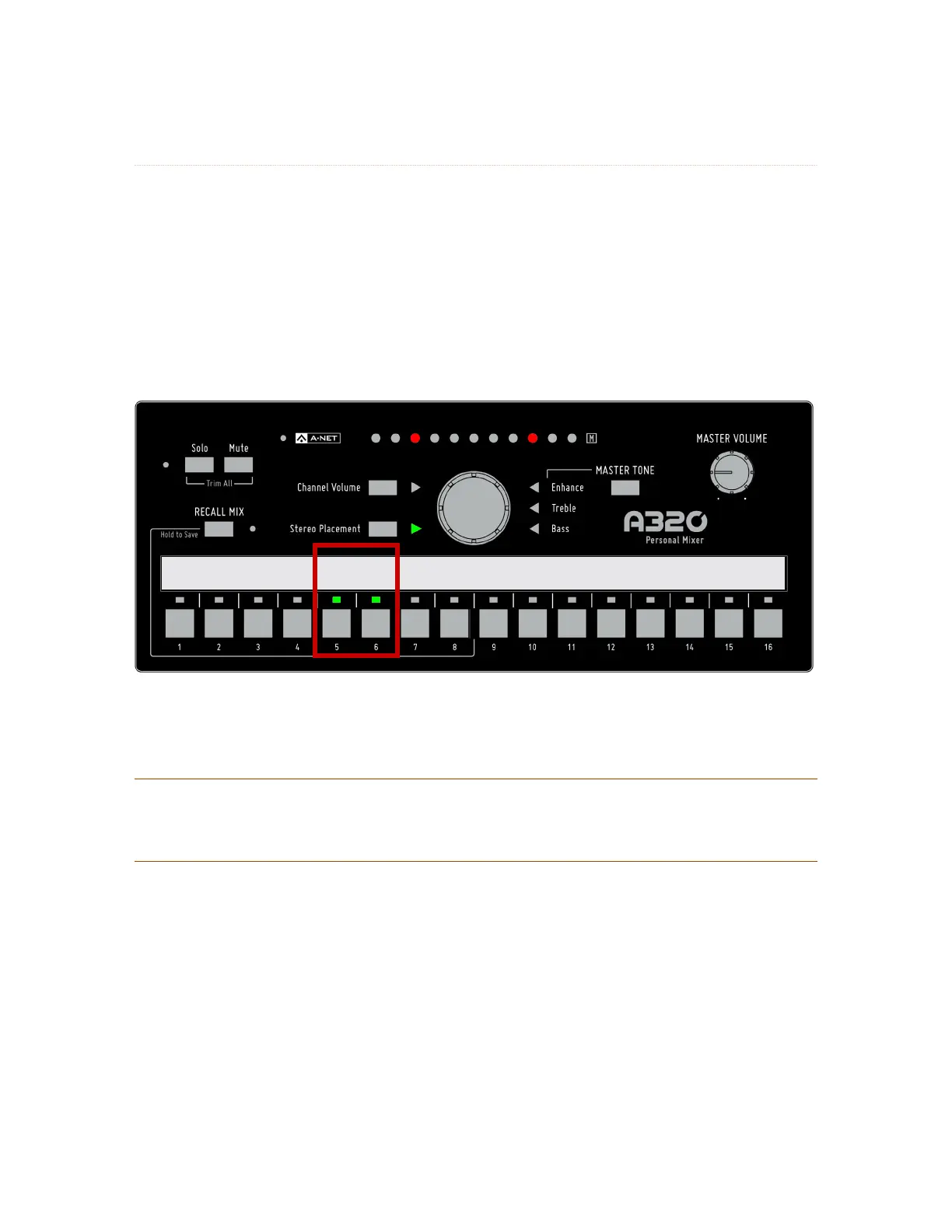
Stereo links are treated as channel pairs, using two adjacent buttons on the A320.
Bass Voc 1 Voc 2 Gtr Drum Mix Gtr2 Keys Organ Piano Loops Perc Click
Stereo Stereo Stereo Stereo
Channels 5-6 are a stereo linked pair in a system with only one input module.
See additional information about the Pro16 and Pro16e versions of A-Net on page 27.
P
Note: When connecting the A320 Personal Mixer to a D800 or D800-Dante A-Net Distributor, the
D800’s front panel switches must be set to the “ I ” position. The “ II “ position is for use only
with the A360 Personal Mixer.



 To Next Page