33
A320 PersonAl Mixer User GUide
Recall Mix Button
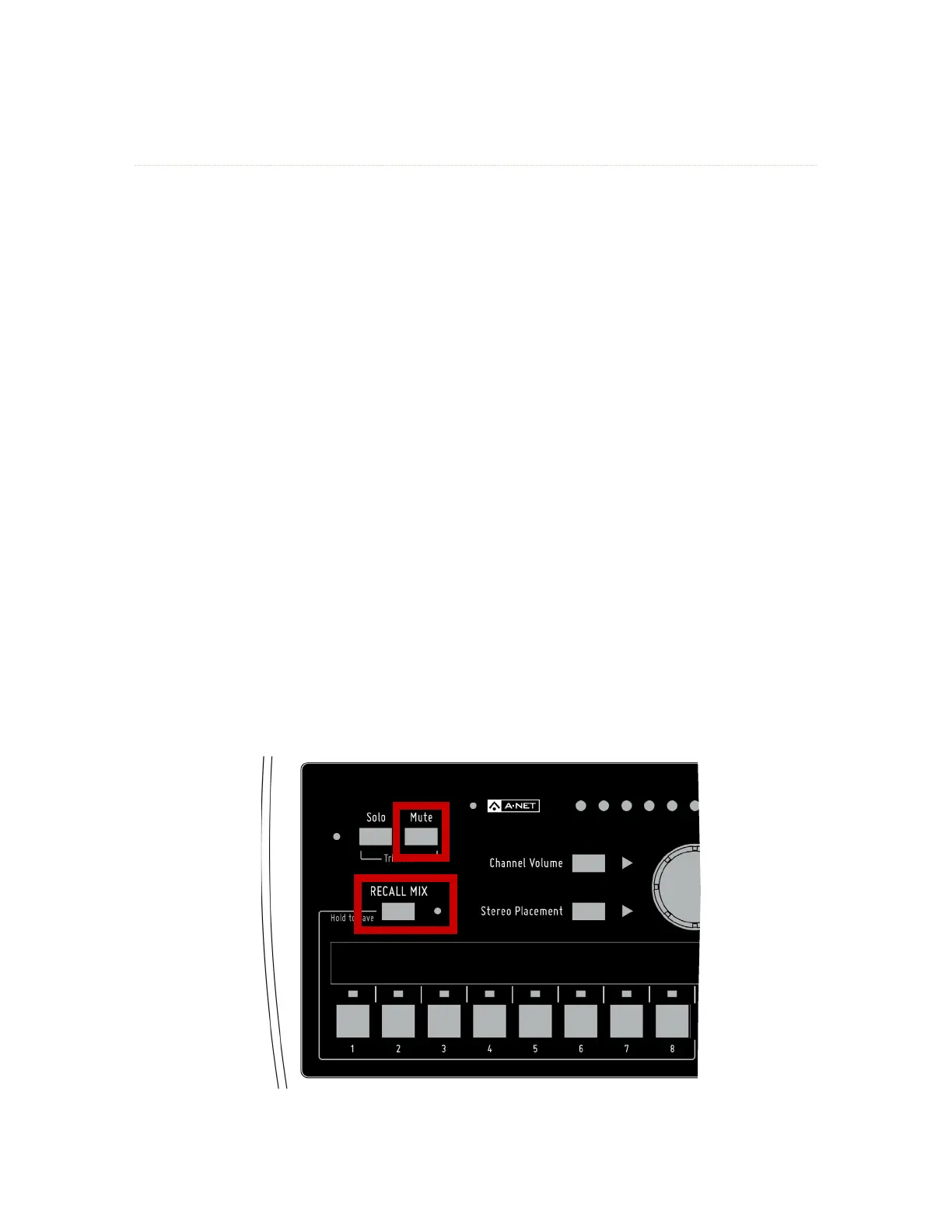
The reCAll MIx button has two functions on the A320. When pressed and released, it activates the Recall
Mix function. When held, the Save function is activated.
To Recall a Mix Preset
To recall a Mix Preset that has been stored in one of the A320 Personal Mixer’s mix locations (the channel
buttons 1-8):
1. Press and then release the reCAll MIx button; its yellow LED will blink.
2. Press the channel button 1-8 that corresponds to the mix you wish to recall (buttons 9-16
are ignored).
3. The mix is recalled and the yellow LED next to the reCAll MIx button goes out.
4. To cancel a mix recall, press the reCAll MIx button again instead of a channel button 1-8.
Clear a Mix
The current mix can be cleared and reset by pressing and releasing the reCAll MIx button and then pressing
the Mute button, returning all channel settings to their default values. Resetting a mix does not erase the
mix parameters stored in memory for any of the eight Mix Preset locations. To overwrite a Mix Preset after
performing a reset, use the Save procedures described previously.
This command resets the following:
• Channel volumes are set to zero
• All channels are unmuted
• Stereo Placement (Pan) for all mono channels is set to center
• Stereo Placement for all stereo channels is set to full left/right
• Channel Button 1 is selected
The Master Volume and Master Tone settings are not affected by this command.
Press reCAll MIx and then press Mute to clear the current mix.



 To Next Page