12
A320 PersonAl Mixer User GUide
Set Stereo Placement
Monitoring in stereo provides a more natural monitoring experience, especially if you are wearing in-ear
monitors.
• Select the mono or stereo channel you want to change.
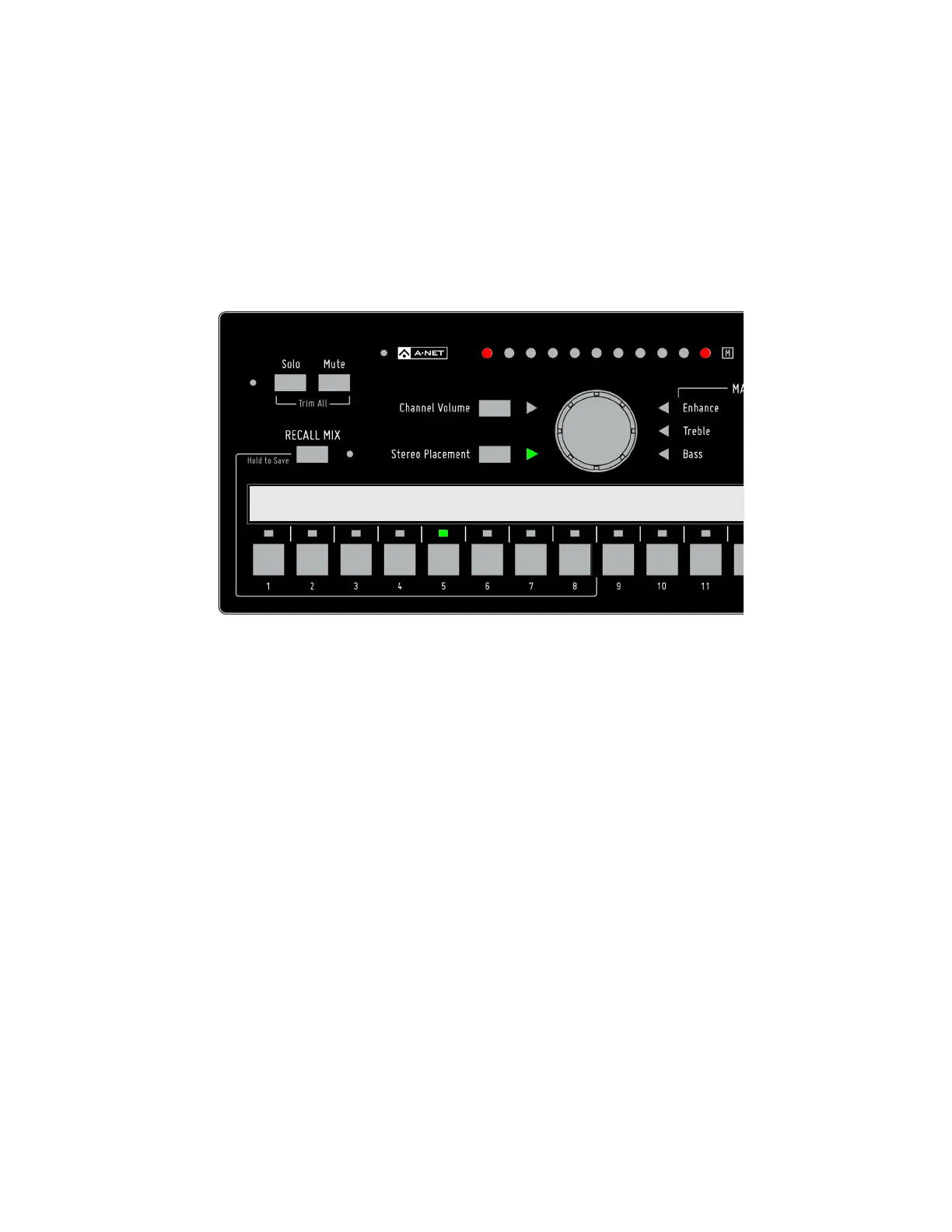
• Press the Stereo PlACeMeNt button; the green triangle LED next to the button should be lit.
• Turn the central control knob to pan the channel in the stereo mix.
Kick Sn Cymbals Bass Piano Voc1 Voc2 Voc3 Gtr1 Gtr2 Organ S
t
Stereo Stereo Stereo Stereo
Stereo Placement is being edited on Channel 5.
Stereo Placement settings for each channel in your mix are saved as part of a mix preset.
Adjust the Master Tone Settings
The Master Tone section’s Treble, Bass, and Enhance can be used to adjust to overall EQ of your headphones
or earbuds. Once you have a basic mix set up, adjust the Treble and Bass tone controls first, leaving the
Enhance control set to the minimum. Once you have the treble and Bass tone controls set to your liking,
slowly raise the amount of Enhance until you find a pleasing amount. Enhance is a combination bass/
treble circuit that boosts the extreme low end and extreme high end of a mix.
The Master Tone section affects the stereo mix output as a whole and its settings are not saved as part of
a mix preset.



 To Next Page