21
A320 PersonAl Mixer User GUide
Understanding Stereo Placement on the A320
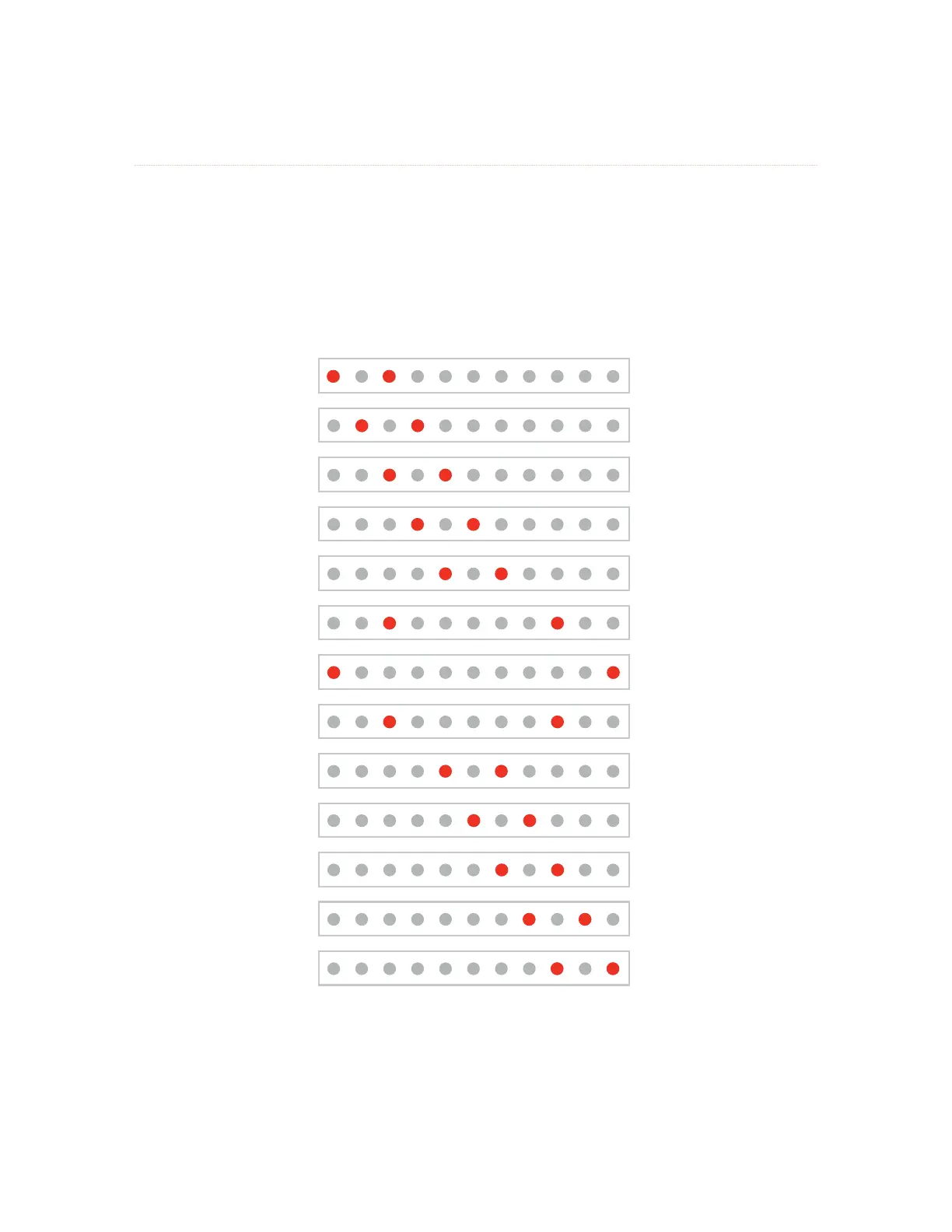
When Stereo Placement is selected for editing, two red LEDs are used to indicate the location of the
sources within the stereo image. The default spread for a stereo source is full left and full right.
The following example shows the eleven relative Stereo Placement positions available for a stereo channel.
As you change the Stereo Placement setting for a channel, you’ll notice that the center-panned options
appear twice—as you move from the left side of the stereo image to the right and again as you move from
the right back to the left.
LEFT
Default Default
RIGHT
The A320 Stereo Placement LED positions
The stereo positions have been carefully selected to be both easy to use and musically useful while
performing live on stage or in the studio.



 To Next Page