26
A320 PersonAl Mixer User GUide
A-Net and the A320
The A320 Personal Mixer can operate in one of two modes—the 16-channel maximum Pro16 version
where each channel is assigned to one mix channel button (and stereo channels, therefore, occupy a pair
of adjacent channels), or the 32-channel Pro16e mode where stereo channel pairs occupy a single mix
button on the A320 interface. Which mixer mode you will use will depend upon the type and number of
input devices that make up your personal mixing system.
If your personal mixing system has only 16 input sources and uses a single analog input module or digital
console card, use the 16-channel version. If your system has two or more input devices and at least one
of them is a Pro16e device such as the AN-16/i v.2 Input Module, then you can make use of the 32-channel
(Pro16e) version of the protocol. (Remember that the A320 can only use slots 1-32 of a larger Pro16e
network; slots 33-64 can be accessed only by the A360 Personal Mixer.)
A-Net LED
The A-Net LED on the A320 Personal Mixer will light green when it is receiving the Pro16 version of A-Net;
it will light red when the Pro16e version is being received.
Setting the Mixer Mode
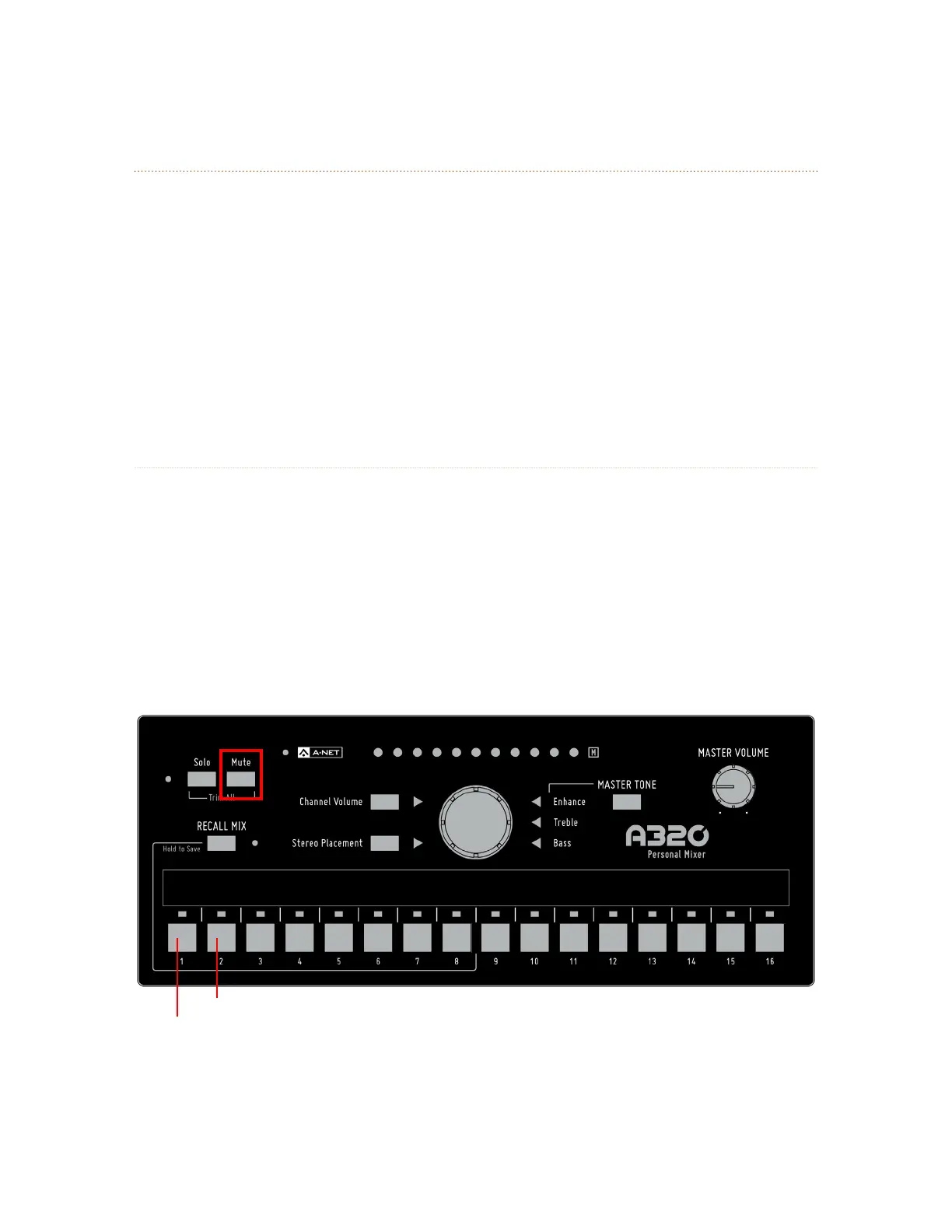
To choose a mixer mode, a special power-up button combination is used. Start with the power off
(disconnect the Cat-5 cable from the back of the mixer). To set the A320 to use the 16-channel mode, hold
the Mute button and the ChANNel 1 mix button and then power up the unit. To use the 32-channel mode,
start with the power off, hold the Mute button and the ChANNel 2 mix button and then power up the unit.
32-ChANNel Mode
16-ChANNel Mode
On power up, holding Mute and ChANNel 1 sets the A320 to 16-channel mode; holding Mute and ChANNel 2 sets
the A320 to 32-channel mode.



 To Next Page