32
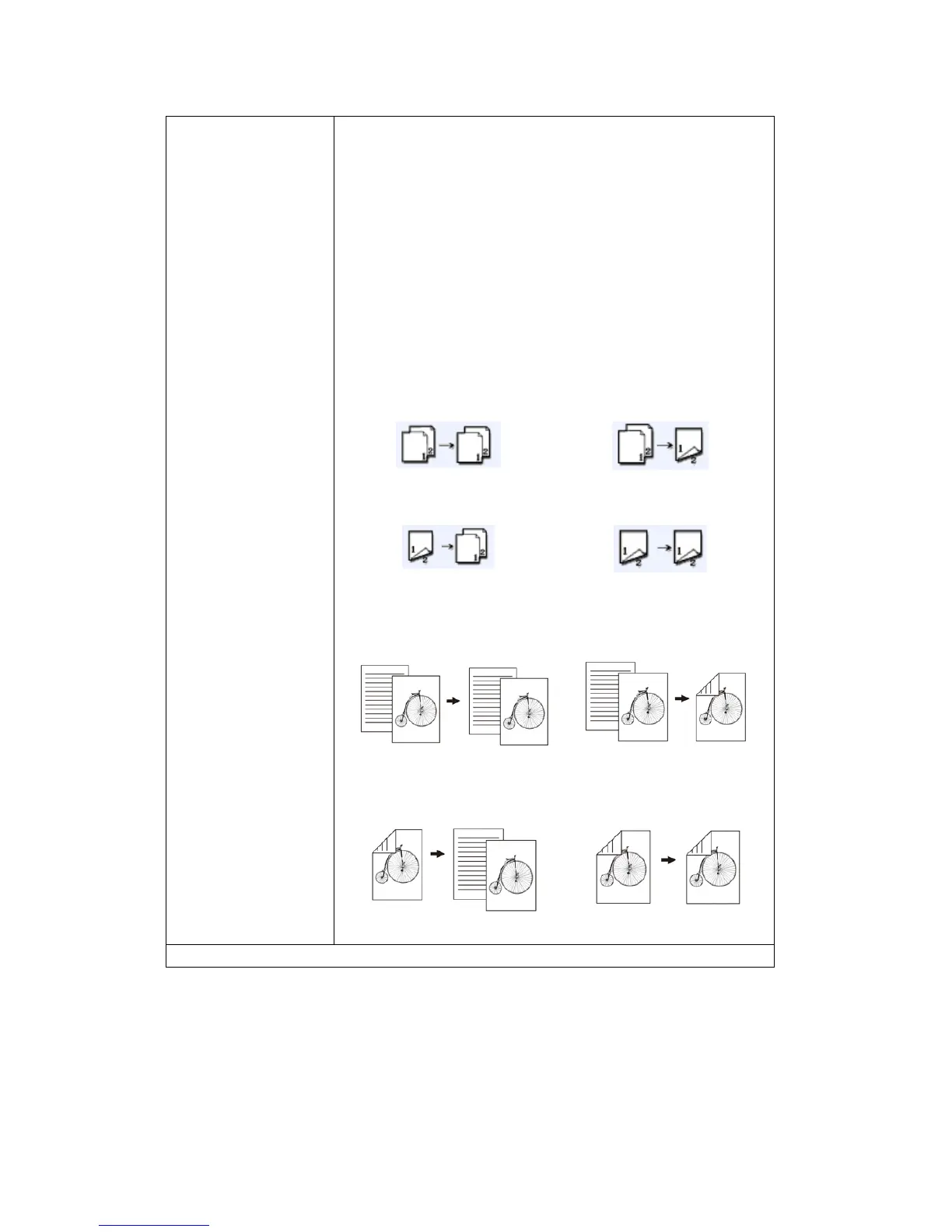
Duplex Choose one of the four types for your duplex printing.
(Check if your printer includes a duplex option.)
Choice: *1 to 1 Sided, 1 to 2 Sided, 2 to 2 Sided,
2 to 1 Sided
1 to 1 Sided: Copy single-sided originals onto one
side of one sheet of paper.
1 to 2 Sided: Copy single-sided original onto two
sides of one sheet of paper.
2 to 1 Sided: Copy double-sided original onto one
side of one sheet of paper.
2 to 2 Sided: Copy double-sided original onto two
sides of one sheet of paper.
1 to 1 Sided
1 to 2 Sided
2 to 1 Sided
2 to 2 Sided
Example:
1 to 1 Sided
1 to 2 Sided
2 to 1 Sided
2 to 2 Sided
* Factory Default



 To Next Page