33
Orientation Specify how you would bind your duplex printing.
Note: This feature is only available for a printer which
supports the duplex feature.
Choice: *Long Edge to Long Edge, Long Edge to Short
Edge, Short Edge to Long Edge, Short Edge to Short
Edge
Long Edge means documents to be bound or to be flipped
on the long edge of paper.
Short Edge means documents to be bound or to be flipped
on the short edge of paper.
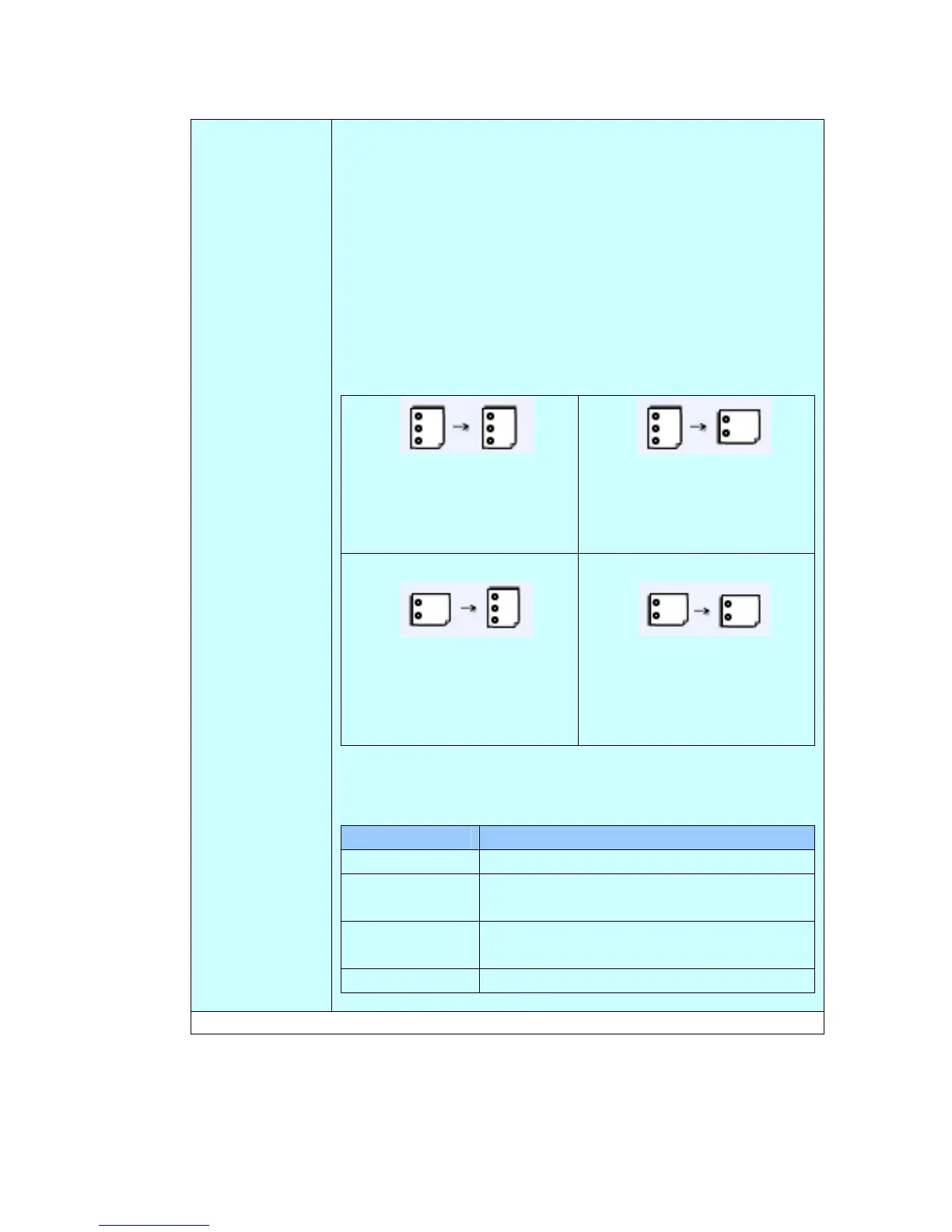
Long Edge to Long Edge
Turn your documents from
long-edge binding to
long-edge binding.
Long Edge to Short Edge
Turn your documents from
long-edge binding to
short-edge binding.
Short Edge to Long Edge
Turn your documents from
short-edge binding to
long-edge binding.
Short Edge to Short Edge
Turn your documents from
short-edge binding to
short-edge binding.
Note: The selection of orientation varies depending on
type of duplex printing.
Duplex Type Availability of Orientation
1 to 1 sided All options are unavailable.
2 to 1 sided Only Long Edge to Long Edge and Short
Edge to Long Edge are available.
1 to 2 sided Only Long Edge to Long Edge and Long
Edge to Short Edge are available.
2 to 2 sided All options are available.
* Factory Default



 To Next Page