34
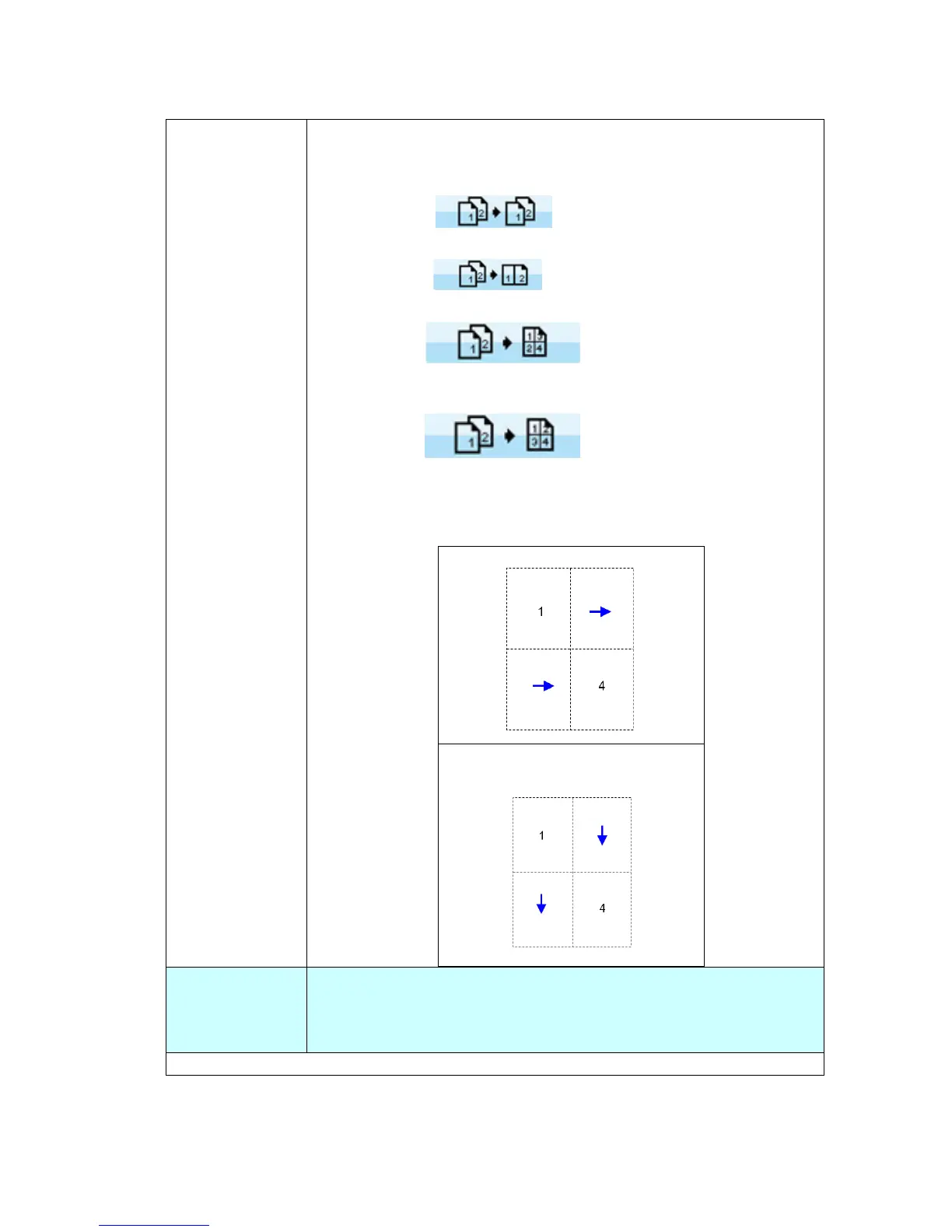
N-up When copying multiple-page documents, you can copy more
than one page on a single sheet of paper. The scanned images
are resized to fit on the copied page.
Choice: *Off (
):Copies an original onto one
sheet of paper.
2-up(2-in-1
): Copies two separate originals
onto one sheet of paper.
4-up(4-in-1
): Copies four separate
originals onto one page. The copy direction is Down, then
Right.
4-up(4-in-1
) Copies four separate
originals onto one page. The copy direction is Right, then
Down.
The diagram for 4-up copy directions on a single sheet is
shown below:
Right, then Down
Down, then Right
Deskew
Use this option to automatically straighten your image.
Choice: *ON, OFF
* Factory Default



 To Next Page