EasyManua.ls Logo

Axis 231D - User Manual

Axis 231D
83 pages
Print Icon
To Next Page IconTo Next Page
Loading...
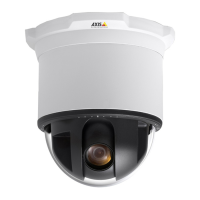
AXIS 231D Network Dome Camera
User’s Manual
Installation instructions are also available in German, French, Italian and Spanish in this manual

Other manuals for Axis 231D

Questions and Answers

Axis 231D Specifications

General IconGeneral
BrandAxis
Model231D
CategorySecurity Camera
LanguageEnglish

Summary

About This Document

Battery Replacement Guidance

Specific instructions and precautions for replacing the camera's internal battery.

Installing the AXIS 231 D

Installation Precautions

Important safety and handling guidelines before starting installation.

Exterior Ceiling Mounting

Inset Ceiling Mounting

Network Installation

Manual IP Address Setup (Windows)

AXIS IP Utility Installation

Guide to installing the AXIS IP Utility software for manual IP configuration.

Manual IP Address Setup (UNIX;Linux)

ARP and Ping Method

Steps to set IP address using ARP and Ping commands in UNIX/Linux.

Network Integration Service

AXIS Internet Dynamic DNS Service

Procedure for making the camera accessible via the internet using dynamic DNS.

Using the Network Dome Camera

Accessing the Camera Interface

How to access the camera's web interface via a browser.

Configuring the Network Dome Camera

Accessing Setup Tools

Steps to access the camera's configuration interface through a web browser.

Camera Configuration Details

Basic Configuration Settings

Initial setup for users, network, date/time, and video.

Video and Image Settings

Adjusting image quality, resolution, compression, and overlays.

Event Configuration

Setting up triggered and scheduled events and actions.

System Options Configuration

Security and User Management

Configuring user access levels, IP filtering, and HTTPS.

Date;Time and Network Settings

Setting date/time, IP address, DNS, and network protocols.

Ports, Maintenance, and Support

Managing I/O ports, performing maintenance, and accessing support information.

Using the Setup Tools

Video and Image Adjustments

Optimizing video image quality through resolution, compression, and color settings.

Advanced Image Settings

Lighting Conditions Configuration

Adjusting white balance, exposure control, and backlight compensation.

Dome Configuration Features

Preset Position Management

Defining and saving camera views for quick access and home position.

Event Configuration

Event Type Definitions

Defining how and when the camera performs actions based on events.

Event Server Setup

Configuring connections for uploading images and receiving notifications.

Event Management

Triggered Event Setup

Configuring events triggered by external inputs or internal actions.

Event Buffers and Scheduled Events

Scheduled Event Setup

Setting up events to occur at specific times or on a repeating pattern.

System Options - Security

User Access Control

Managing user logins, access levels, and anonymous access.

System Options - Date;Time and Network

System Options - Maintenance and Backup

System Reset and Advanced Settings

Troubleshooting

Troubleshooting Common Issues

Troubleshooting Video and Performance

AXIS 231 D Installation

Surface Mounting

Flush Ceiling Mounting

Installation Steps

Detailed instructions for flush mounting the camera in a ceiling.

Network Integration

Network Connection Methods

Overview of procedures for connecting the camera to a network.

Related product manuals