0024-9551 Revision 1
26
PCA
®
400 User Manual
Position 8None
Run/Hold Format
Position 1O
Position 2CO
Position 3EA
Position 4CO
Position 5T-Stack
Position 6T-Air
Position 7Flow
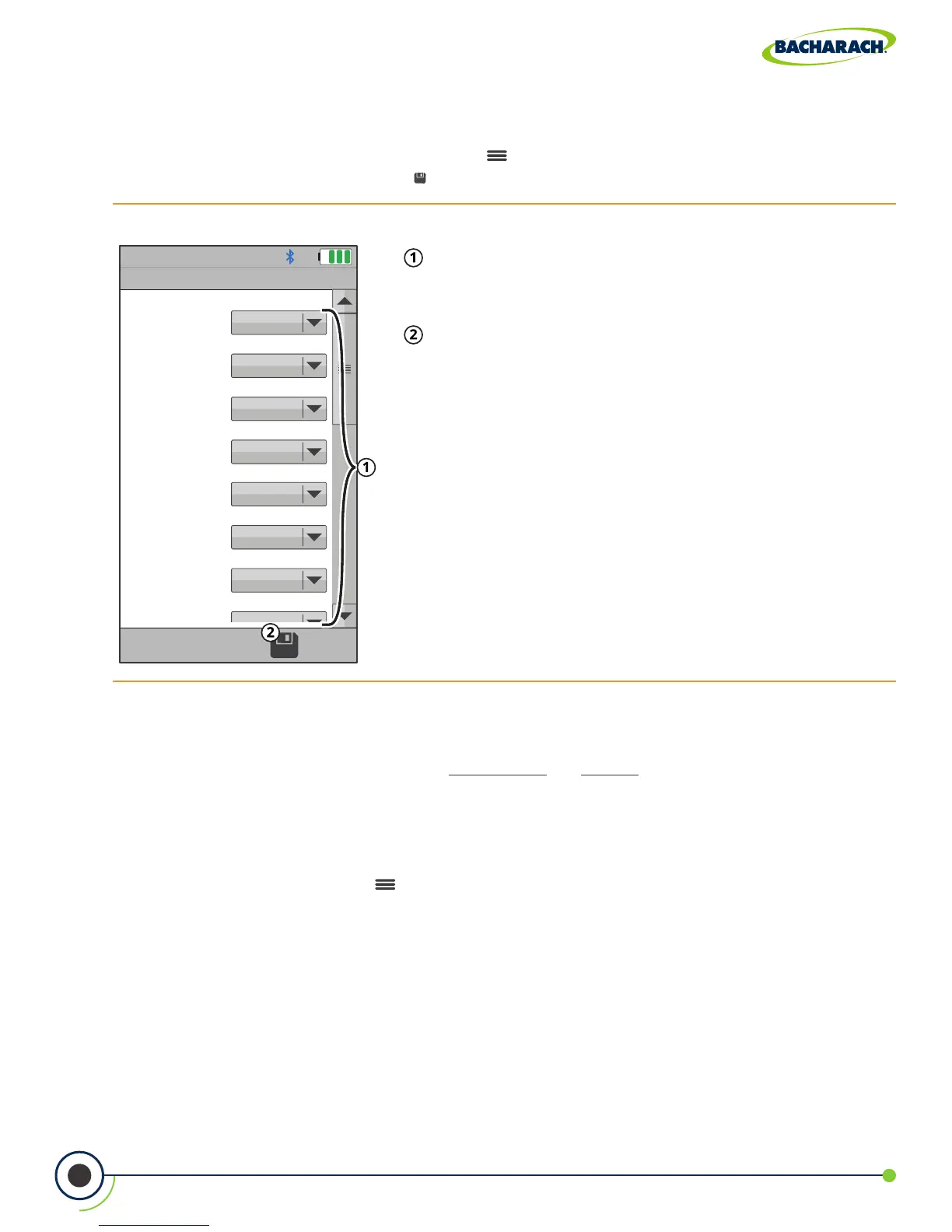
Fig. 3-9: Run / Hold Format
Analysis Positions - use the dropdown menu to
customize the order in which analysis results are
displayed in the List View.
Save - save Run / Hold Format and return to current
combustion analysis results.
Run / Hold Format (List View)
The analyzer allows users to customize the order in which analysis results are displayed.
f To update Run / Hold Format: Options ( ) Run / Hold Format set prioritization via
dropdown menu press Save ( )
Zoom (List View)
Combustion test data can be shown with enlarged characters to make viewing easier.
The operator can set zoom levels to STANDARD or LARGE. The Standard zoom setting
will display fteen (15) lines of combustion test data at one time and the Large zoom
setting will display twelve (12) lines of combustion test data with enlarged characters. The
operator can scroll through the complete list of measured and calculated data no matter
what zoom level has been selected.
f To update Zoom: Options ( ) Zoom select Standard or Large



 To Next Page