0024-9551 Revision 1
46
PCA
®
400 User Manual
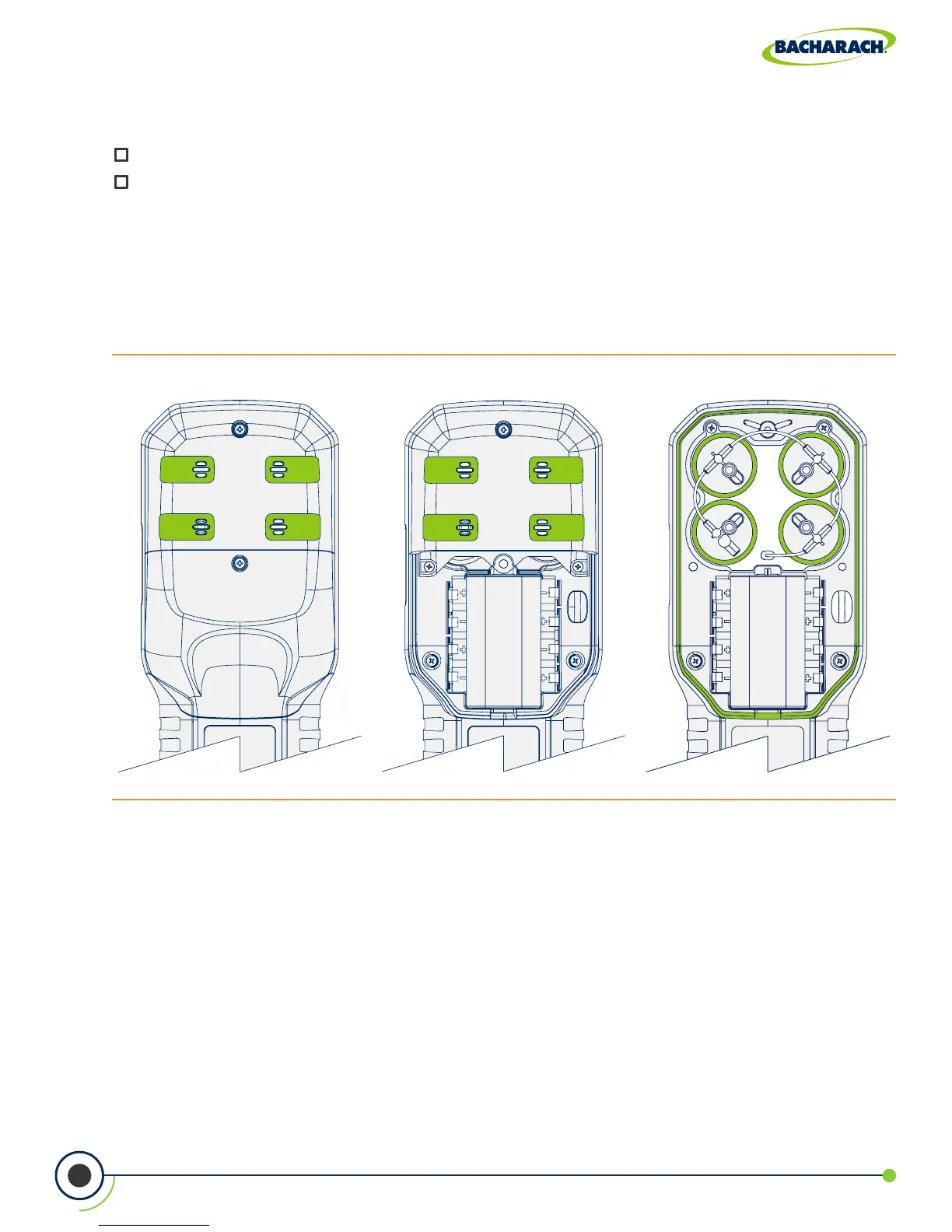
Fig. 5-3: Removing Battery & Component Doors
3. Disconnect the Old Sensor
Locate the sensor which is to be replaced (sensor positions are denoted by a 1, 2, 3 or 4),
remove sample tubing and unplug the sensor assembly from the board.
Materials / Equipment Required
Before beginning the process of replacing sensors, obtain the following items:
Phillips-head Screwdriver
Replacement Sensor
1. Turn OFF the Analyzer
Press and hold the Power Key and allow the analyzer to complete its shutdown procedure.
2. Remove the Analyzer’s Rear Cover
Using a Phillips-head screwdriver, remove the Battery & Component Doors from the rear
of the analyzer.



 To Next Page