24
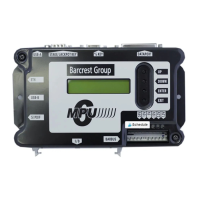
3.3.6 USB A Port.
This port is used for updating the MPU6 soft
3.3.1.1 Reel Based Cabinet
The USB A port allows the operator the facility to perform updates or software option
updates to the MPU6 board via a USB stick the following process should be followed.
3.3.1.2 Video Based Cabinets
The USB A port allows the operator the facility to update the MPU6 board via a USB stick.
MPU6 updates are normally performed during a PC executive update. Should the need arise
to update the MPU6 outside of a PC executive update, for example changing from Data to
Non Data the following process should be followed.
• Power down the machine
• Insert the USB stick into USB port A
• Power up the machine.
• Using the up/down on board menu buttons go to the section titled
‘BOOTSTRAP’ and then select enter.
• Using the up/down on board menu buttons select the appropriate file to be
loaded and press enter.
• The MPU6 will now update with the selected file, once finished remove the USB
stick and power down.
• Following approx 10 seconds power up the cabinet, the new software will now
be loaded.


 To Next Page