39
3.5.26 Individual Test Selection
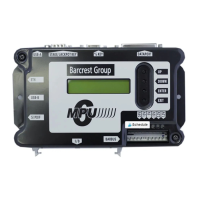
To execute the individual tests. Power on the test jig and select the enter button, then select
the down button to display each of the individual tests listed below.
• 5V I/O.
• 12V Outputs
• Serial Port
• DREQ’s
• Strobes
• Keys
• SPDIF (Digital Audio Format)
• Audio
• USB
• RAM (Ram Retention test)
• Switches
• Options (Development use only).
The menu display will now step to options to offer the individual tests again. If the down
button is selected the display will indicate a “Test All” message.
To select press the enter button and all of the test options will selected automatically in
order. The MPU6 will indicate a pass or fail message as each test is completed.
If a test fails then the MPU6 will show an alarm message related to the failed test.


 To Next Page