25
3.3.1.3 RAM Clear
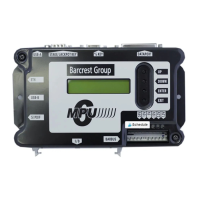
In the event that the MPU6 requires a full clear down a USB stick is available from Barcrest
Group spares and the following process must be followed.
1. Power down the machine.
2. Insert the USB “clear down” stick into USB port A.
3. Power up the machine.
4. The LCD display will now show “CLEAR MEMORY”.
5. Press the enter button and the MPU6 will now clear.
6. Power down the machine and remove the USB stick from the MPU6 port.
7. Power up the machine and test thoroughly.
3.3.7 USB B port
This port is used to directly communicate with the PC on the Triple 7 range of PC Base
machines only.
3.3.8 Stakes & Prizes Port
On UK based machines only, the price of play (stake) and jackpot options are set by
plugging a stake/jackpot key into a 9-way D-type STAKE/JACKPOT plug on the MPU6. A
range of colour coded and labelled keys are available from Barcrest Group After sales
department.
This function is not used on the Triple 7 cabinet.
3.3.9 Percentage Key Port
On UK based machines only, the target payout percentage can be set by plugging a
percentage key into a 9-way D-type PERCENTAGE socket on the MPU6. A range of keys
from 70% to 98% payout are available from Barcrest Group After sales.
This function is not used on the Triple 7 cabinet.


 To Next Page