35
3.5.6 Boot Strap Version
Before starting test it is necessary to check that the bootstrap version before commencing
the test routine. Apply power to the test jig then check the Bootstrap version is at least V3.7
or more. If not then it will need updating as the test routine will fail.
3.5.7 BOOTSTRAP Programming
Method one
To update the bootstrap, power down the MPU6 and then insert a USB stick. Now power up
the MPU6 the file will now be read before going into the Erase and set up routines before
finally the file has been verified. When this is complete the user is then prompted to remove
the USB stick.
Method two.
To update the bootstrap turn on the MPU6 test jig power, then select the down button to
display a BOOTSTRAP MESSAGE. Now insert the USB stick containing the latest bootstrap
program then select the enter button. The file will now be read before going into the Erase,
programming routines before finally the file has been verified. When this is complete the
user is then prompted to remove the USB stick.
To erase a program use the up/down buttons until ERASE is shown on the display. Press
enter then the program erasure process will begin.
Using the up/down buttons until Self Test is displayed select the enter button then the display
will then offer test All and individual test options that can be selected by using the up/down
buttons on the MPU6.
If all of the tests are required use the up/down buttons to step to the TEST ALL message
then press enter. The MPU6 will automatically run through each of the tests in turn.
3.5.8 Test Menu
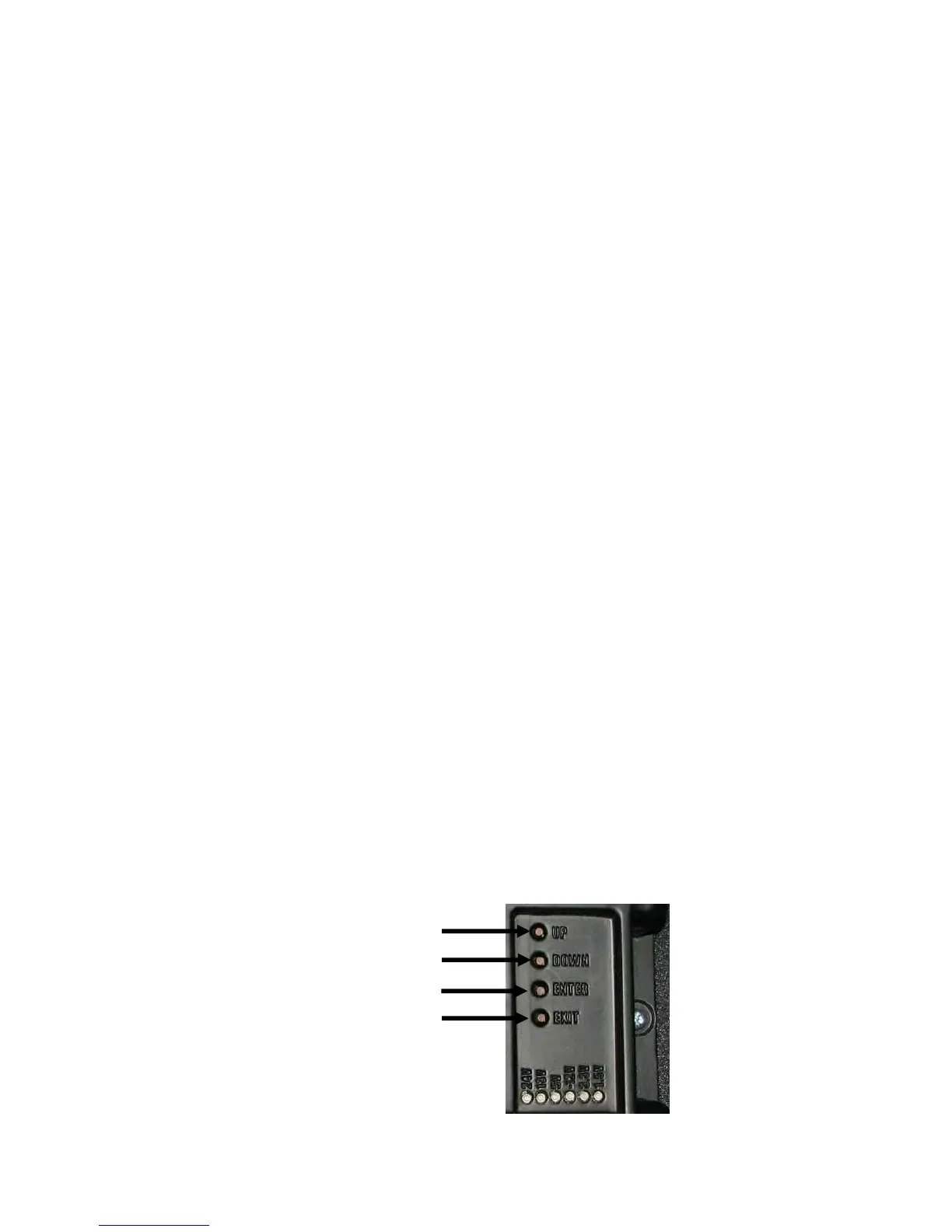
The MPU6 is provided with four buttons to navigate the self test menu. The functionality of
each button is listed below.
Scroll Displayed Menu up
Scroll Displayed Menu down
Menu Select
Menu Exit and Cancel Test


 To Next Page