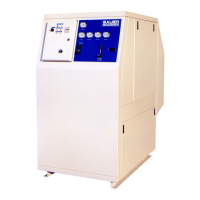
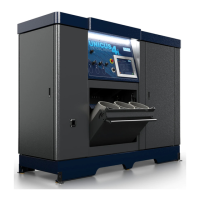
ImVT 120 II Mini Verticus
Page 98 1st Edition, Rev. 0 Chg. 10
8.5.4 Selecting The Off Point For The Pressure Switch.
The switch’s turn off point for when the switch turns off is selectable. The standard set point for Bauer
Compressors turning off the switch’s contact is the final pressure. This causes the switch to work as a
normally closed switch. (Set for final pressure.)
1. Press the mode key (3) one time.
2. Press the down arrow key five times. (OF1) will display on the screen.
3. Press the mode key (3) one time. Press the up or down arrow keys to select the first digit of the final
pressure. (Ex. Final pressure = 5240 psi, enter 5)
4. press the mode key (3) one time. Press the up or down arrow keys to select the second digit of the
final pressure. (Ex. Final pressure = 5240 psi, enter 2)
5. Press the mode key (3) one time. Press the up or down arrow keys to select the third digit of the
final pressure. (Ex. Final pressure = 5240 psi, enter 4)
6. Press the mode key (3) one time to return to the menu and go on to the next selection.
7. For pressures less than 1000 psi return to “selecting the display units” and adjust to PS1 and start at
step one to set the final pressure point.
8.5.5 locking And Unlocking The Switch
The switch may or may not come in the lock out mode. If trying to program the switch and LOH
appears the switch is locked out. Lock the switch when completing the programming so that no one can
change the set points.
1. 1. Press and hold the up and down arrows for five seconds.
2. The display will show which level the switch has been set to.
3. Lu0 = lockout (no changes), Lu2 = unlock (all menu options can be changed.)


 To Next Page
 Loading...