[ ]
[ ]
[ ]
[ ]
[ ]
[ ]
[ ]
[ ]
1
2
3
4
5
6
7
8
9
10
11
12
13
14
15
16
17
18
19
20
21
22
23
24
25
26
27
28
29
USB
DVD
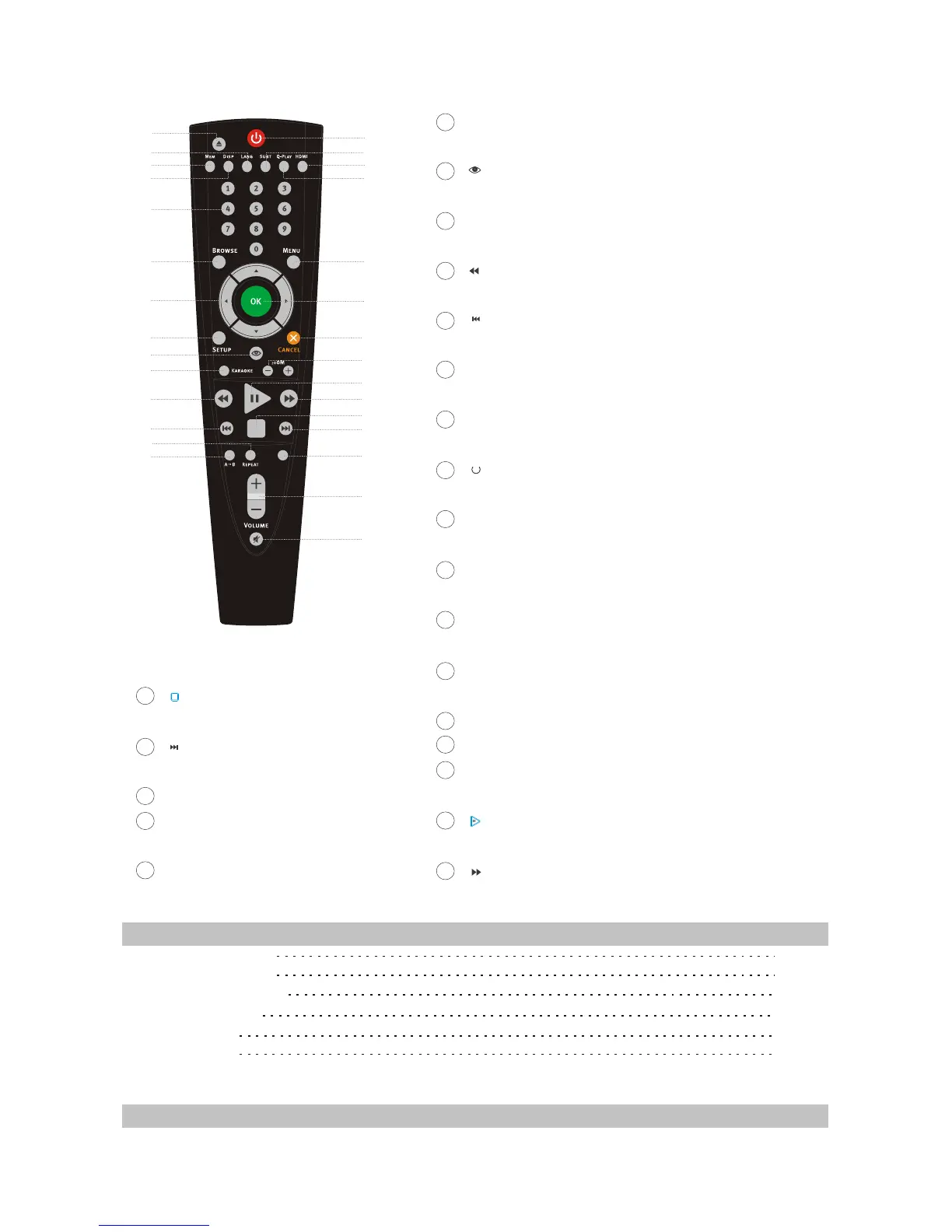
ETUP Button
Function Setup.
Button
Open/close the virtual keyboard function.
KARAOKE Button
Karaoke operation menu.
Button
Fast backward play.
Button
Skip backward.
PEPEAT Button
Repeat play.
A-B Button
Repeat the select.
Button
Press once to stand by, Press twice to play.
SUBT Button
Change subtitle language.
HDMI Button
Switch output mode of HDMI.
Q-PLAY Button
Skip the advertisement/warning and play the DVD directly.
MENU Button
Display DVD menu or open/close PBC.
OK Button
Cancel Button
ZOOM Button
Zoom in/out the displayed frame.
Button
Play or pause playback.
Button
Fast backward play.
8
9
10
11
12
13
14
15
16
17
18
19
20
21
22
23
24
25
26
27
28
29
Button
Stop playback.
Button
Skip forward.
USB DVD Button
VOL +/- Button
Increase/decrease volume level.
MUTE Button
Press once to mute, twice to unmate.
2.3 Accessories
AUDIO/VIDEO CORD
REMOTE CONTROL
AAA SIZE BATTERIES
WARRANTY CARD
USER MANUAL
KARAOKE DISC
1PCS
1PCS
2PCS
1PCS
1PCS
1PCS
2.4 FUNCTION SETUP
2.4.1 Function Setup
- 6 -



 To Next Page