19
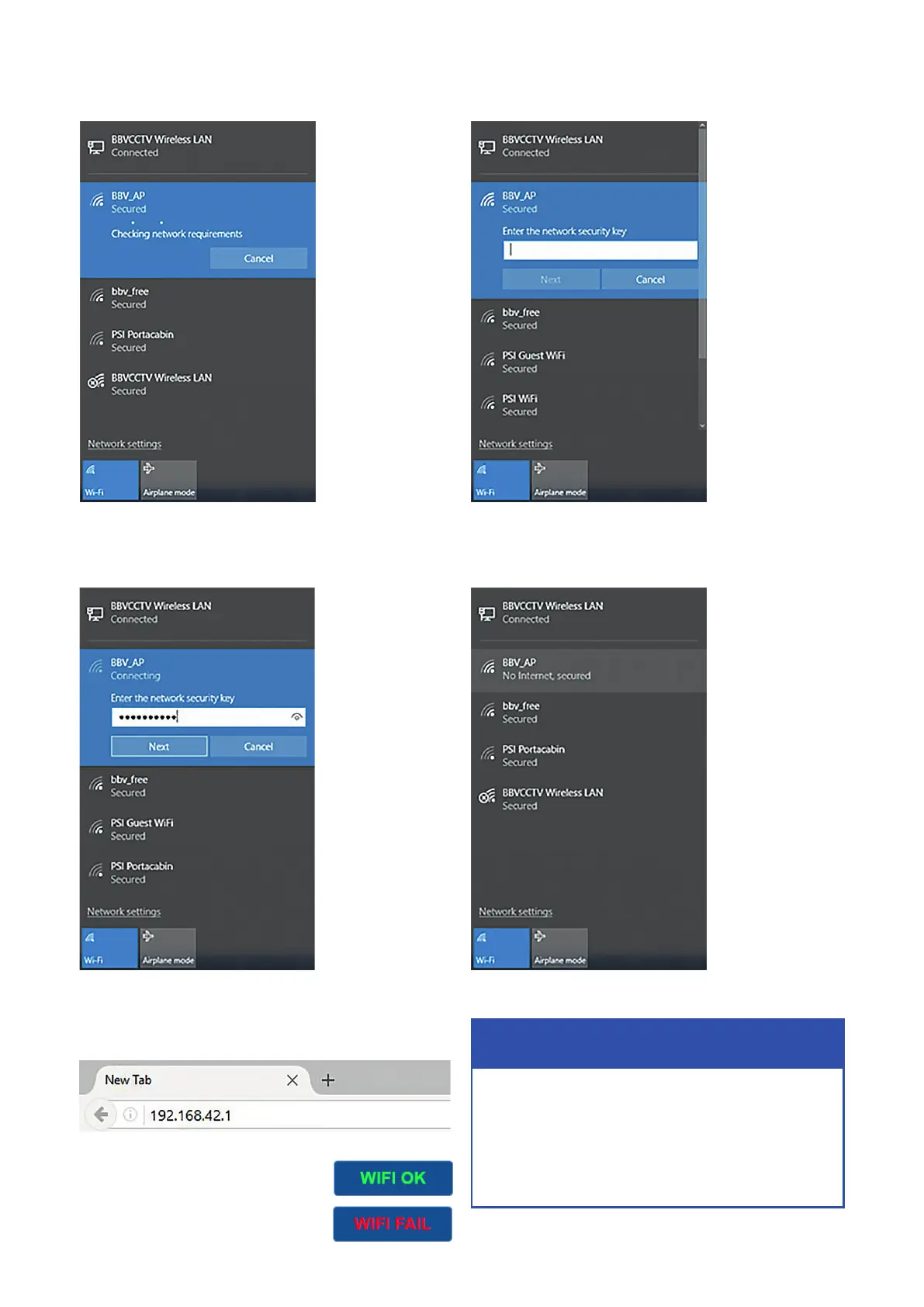
8) Once connected, place the following IP address in your
browser search bar: 192.168.42.1
9) If you are successfully connected
you will see the following green ‘WIFI
OK’ icon in the top-right of the
BBV Interface.
If not connected you will see a red
‘WIFI FAIL’ icon.
6) Enter Password: BBVCCTV111
Click ‘Next’
7) You will then see the BBV_AP link is now Secured and
ready to use
4) It will then check for network requirements
5) It will then ask you for a password to connect to the FBM
Network Name: BBV_AP
Password: BBVCCTV111
IP address (for web page): 192.168.42.1
Quick Setup



 To Next Page