44
Access Dome Menu
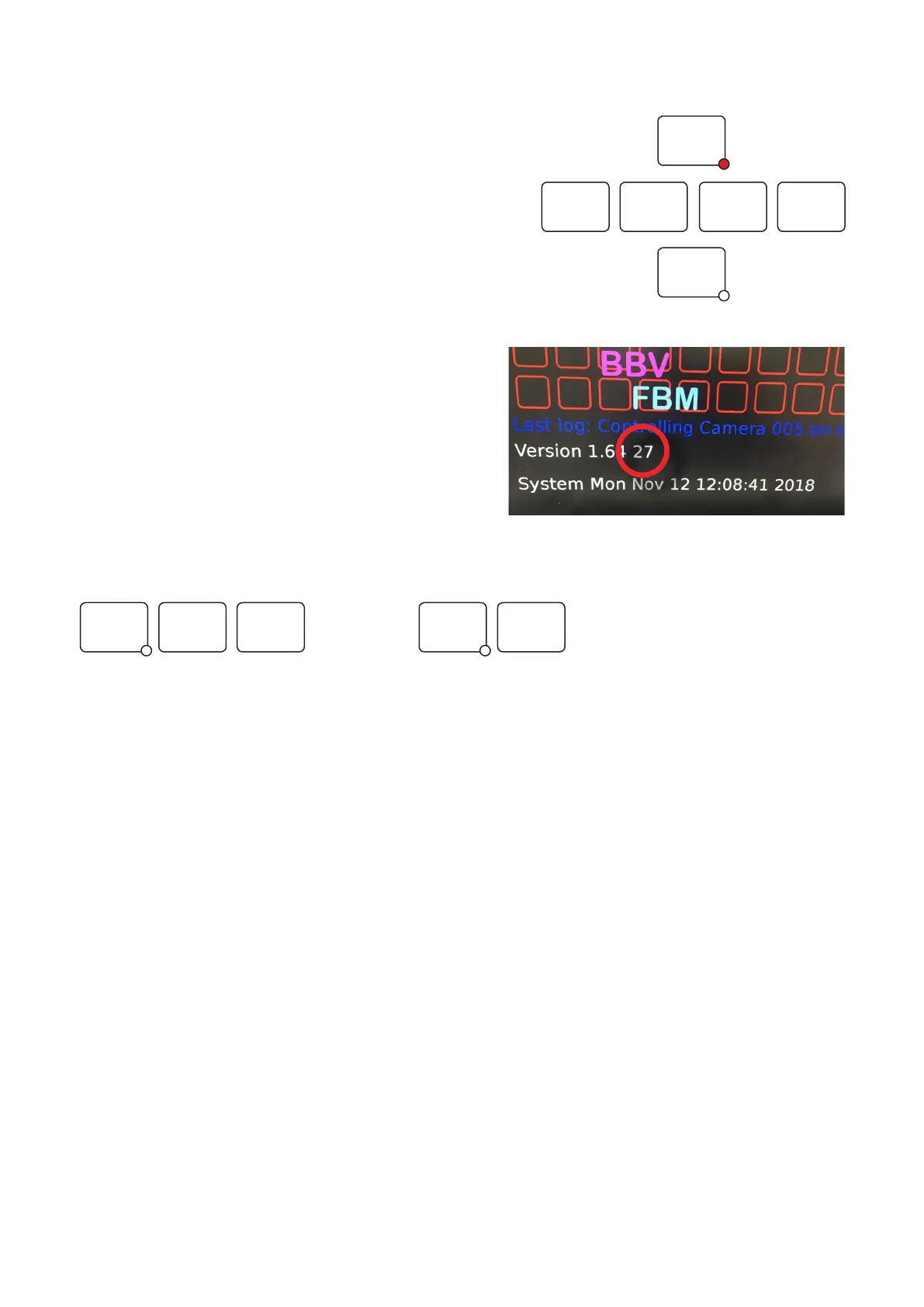
There are three simple steps to access the dome menu. Please make
sure you complete these otherwise you will not be able to gain access.
Please check the specific preset commands for the dome you are using.
These can be obtained from the dome manufacturer.
1. <Program> 1234 <Preset>
• On the keypad, enter <Program> 1234 <Preset>.
• If you have changed your dome menu access code, you will
need to enter this code instead of the default ‘1234’. For more
information please see page page 24, ‘System > Configuration’.
2. 30-second window
• Once step 1 is entered correctly, you will have 30 seconds
to enter the dome menu by completing step 3.
• The countdown is circled in red on the image to the right.
3. Enter Preset 95 or #1
• On the keypad, enter Preset 95 or #1 to access
the camera menu.
1
9 15
32 4
PRESET
PROGRAM
PRESET
#
OR



 To Next Page