9
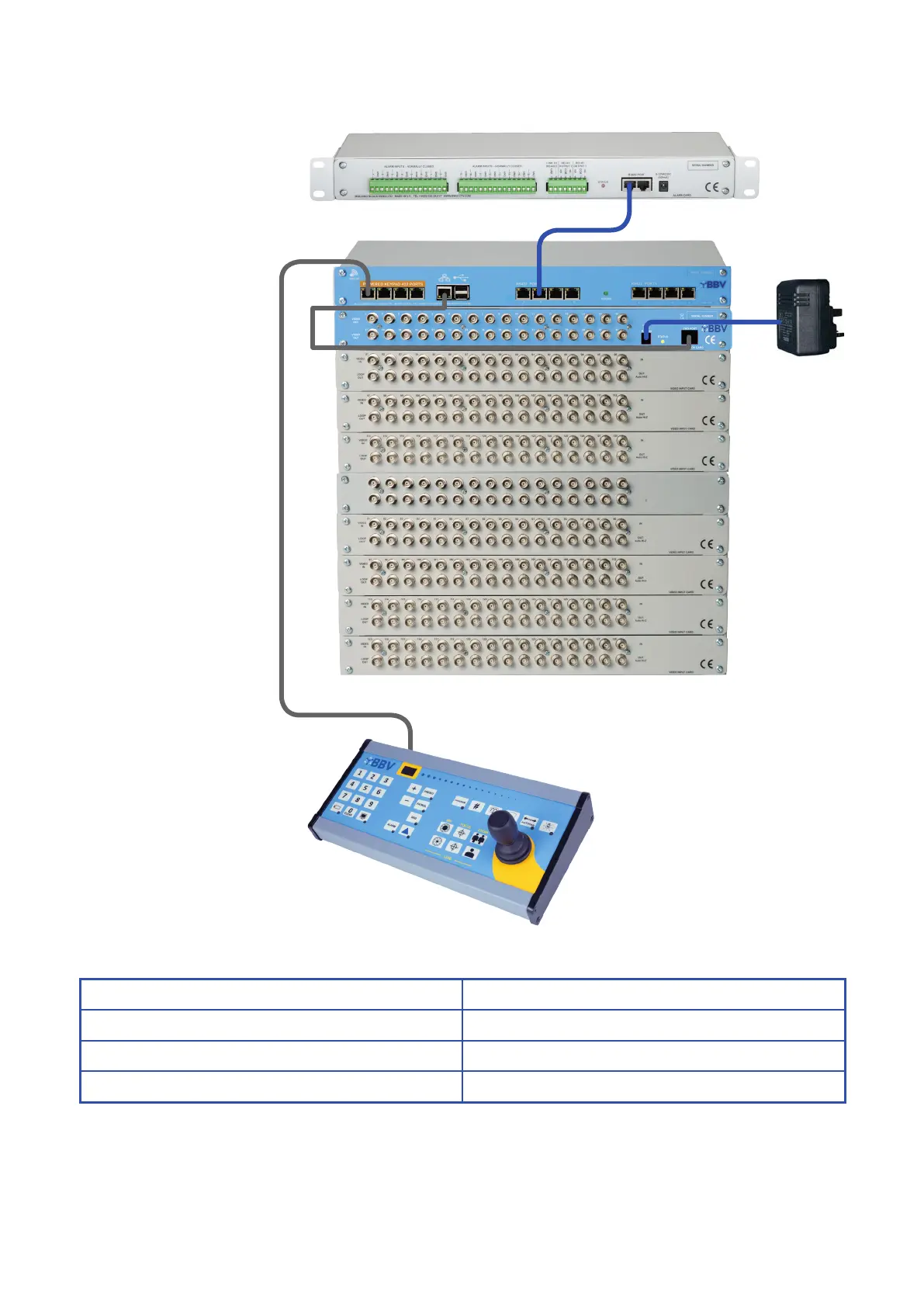
TX1500 Keyboard
FBM CPU
Alarm Card
10U Matrix Setup
(figure 1)
12V 7.5A
Cable Connection
Cat 5 CPU > Monitor
Cat 5 Keypad power port (orange area) > Keypad 1
Cat 5 (Optional) Port B > Alarm
Please Note:
This setup is specically for version 1.63 and beyond of the FBM (including any FBM system created from June 2018
onwards). For earlier versions, you will require a previous manual and may need additional equipment for setup. Please
contact BBV to discuss the additional elements you will require.



 To Next Page