27
Alarm Settings
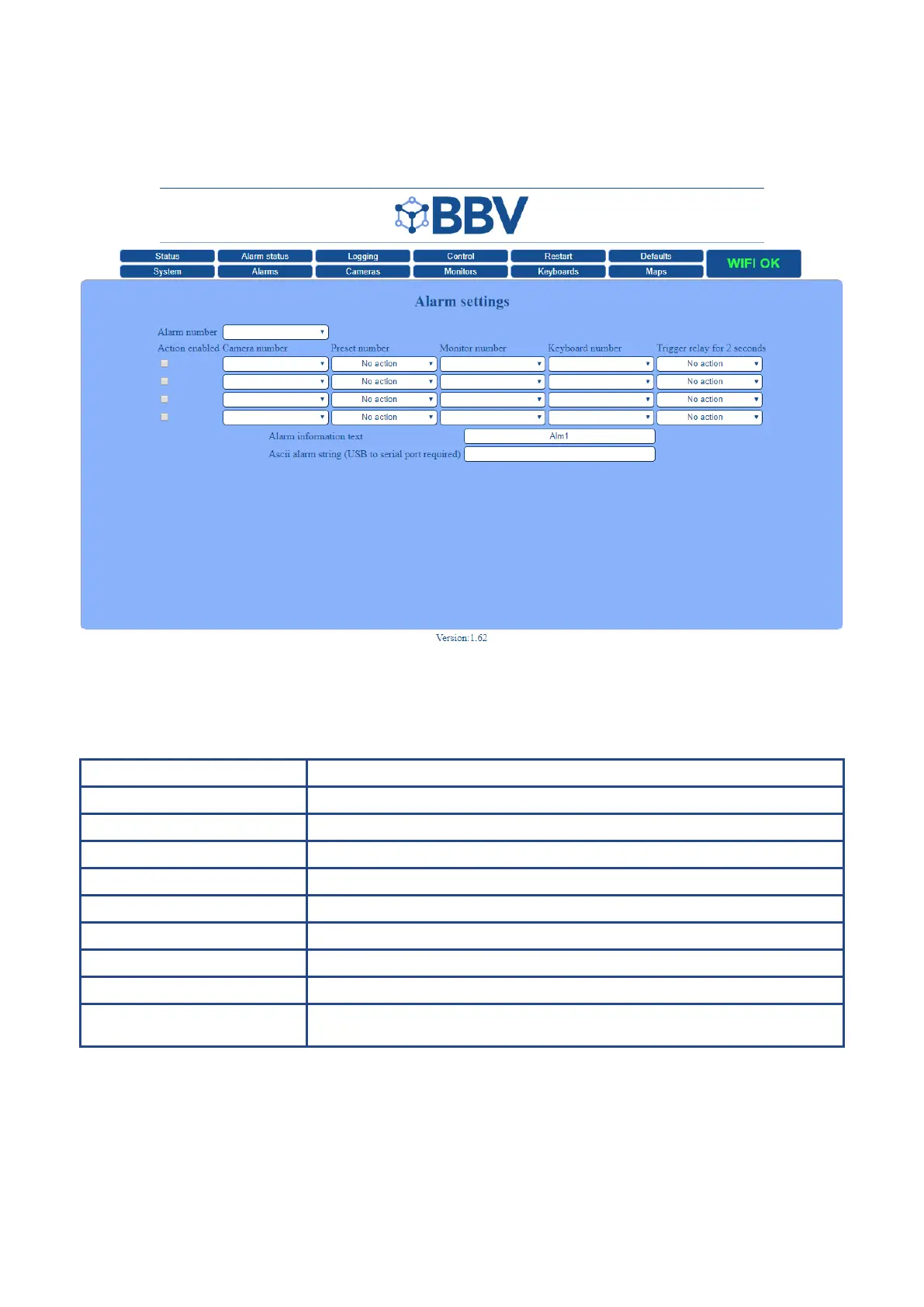
The Alarm Settings screen is used to setup individual alarms.
Each alarm may have up to 4 actions, these are set in the ‘Program Alarms’ tab. To assign an action to an alarm, select the
alarm number, then in the action elds, select the required action. The message can also be assigned to an alarm; this is
entered in the ‘Alarm Information Text’ eld.
Function Description
Alarm Number Dene the Alarm number that you wish to set actions for
Action Enabled Tick the check-box to enable the list of actions
- Camera Number Choose the camera to be actioned by the alarm
- Preset Number Choose the preset to be actioned by the alarm
- Monitor Number Choose the monitor to be actioned by the alarm
- Keyboard Number Choose the keyboard to be actioned by the alarm
- Trigger relay for 2 seconds Trigger relay number
n
Alarm Information text Write the text that you wish to display on the screen
Ascii alarm string
(USB to serial port required)
Enter a 3rd party Ascii input if required



 To Next Page