23
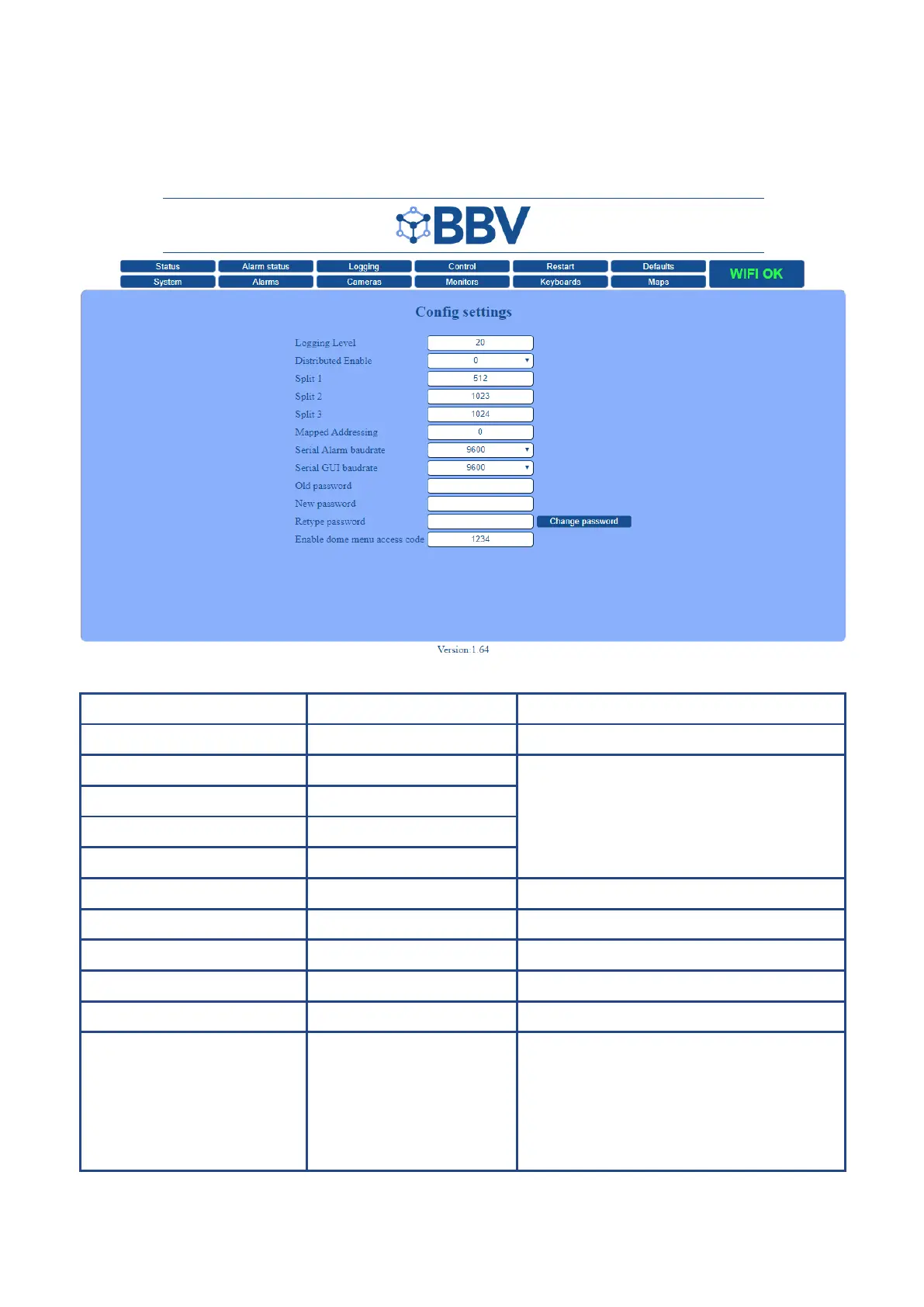
System > Configuration
Access the Conguration page from the System page
.
IMPORTANT NOTE - Alterations may stop your system from working - please contact BBV before changing.
Function Default Description
Logging Level 20 Includes more or less in logs.
Distributed Enable 0 Allows larger matrices to be constructed. For sub
512, leave at default values.
Split 1 512
Split 2 1023
Split 3 1024
Mapped Addressing 0 To enable camera address remapping, set to 1234.
Serial Alarm Baudrate 9600 Alarm input serial
Serial GUI baudrate 9600 GUI Interface
New password Create a new custom system password
Retype password Retype your new system password to conrm
Enable dome menu access code 1234 To enable the dome menu access code, you will
need to enter ‘1234’ in the conguration eld
then restart the system. Once restarted, the elds
on the camera page will allow conguration to your
camera address mapping preferences.
Create your own specic code to restrict dome
menu access (rather than the default ‘1234’).
Please note: Both the Serial alarm interface and the GUI Interface require extra hardware - please refer to BBV.



 To Next Page