42
Backup FBM Settings
Once you have set up your FBM (and each time you make changes) it is highly recommended that you backup your System
Settings in case you need to restore them at a later date.
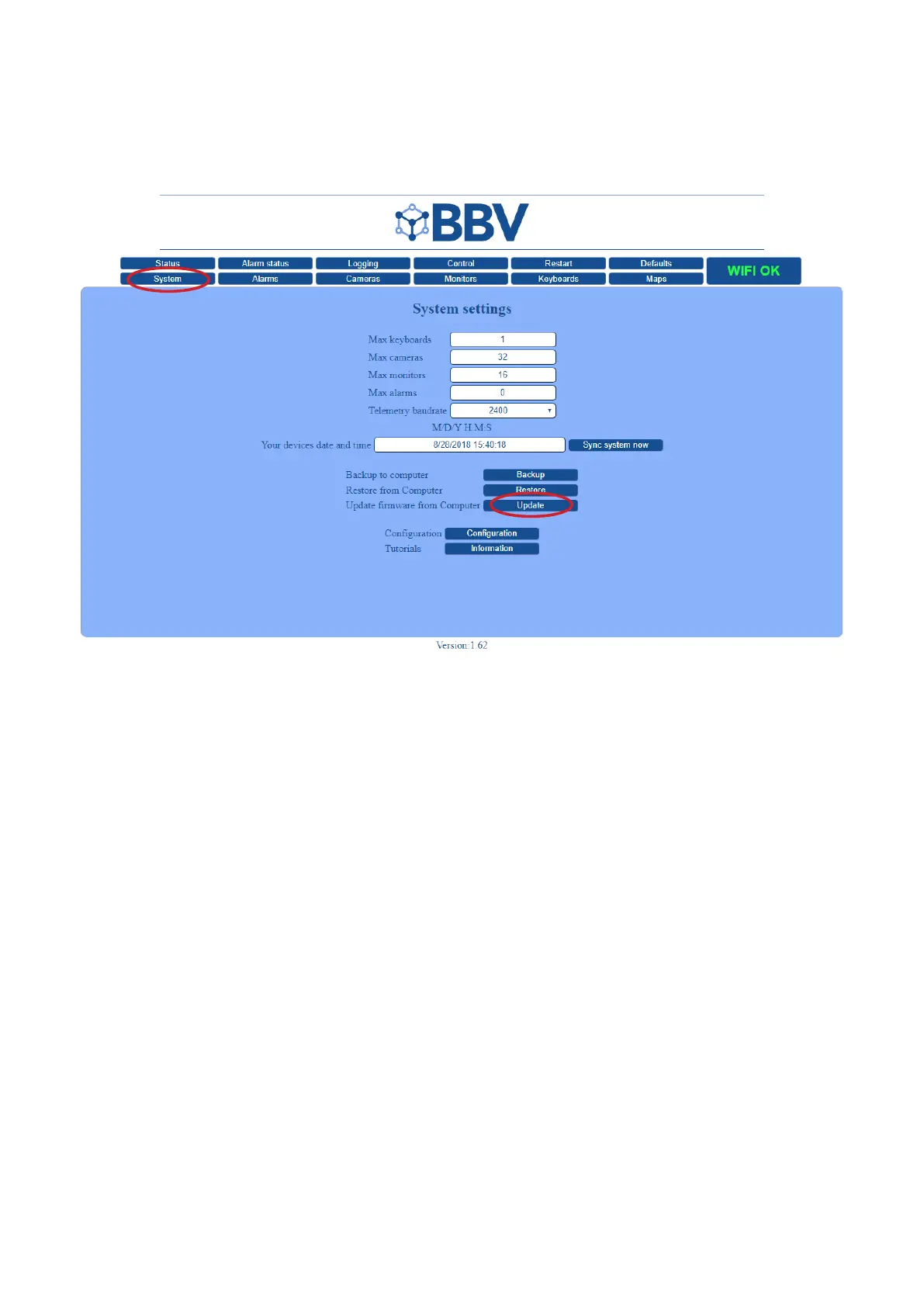
1. Enter System Settings
• Once your FBM User Interface has loaded, click the ‘System’ tab to enter the System Settings.
2. Backup to Computer
• Click the ‘Backup’ button at the bottom of the page.
• This will automatically download an XML.tar.gz file of your current system settings.
3. Save in a Safe Place
• Once you have downloaded the system settings XML.tar.gz file on to your computer, we highly recommend that you
store this file in a safe place (both on your computer and on the USB stick supplied by BBV for this purpose).



 To Next Page