BD Accuri C6 Flow Cytometer Instrument Manual
7820018 Rev-2 9
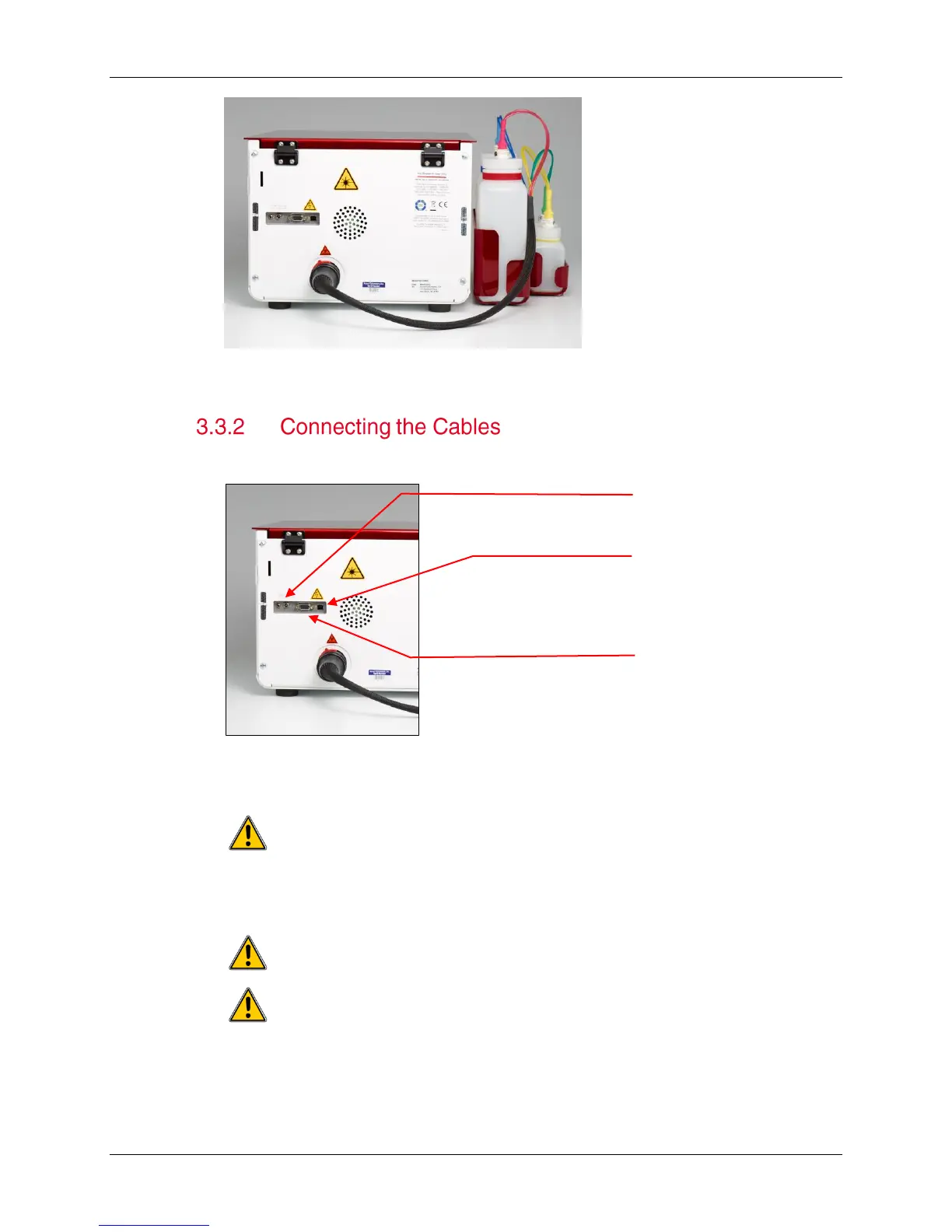
Figure 3-5. Proper Attachment of Fluidics Lines
1. Plug the cord from the power supply into the back of the cytometer.
Figure 3-6. Cable Connections
2. Attach the black power cord to the power supply and plug into a standard outlet.
Only operate this instrument from a supply source that incorporates a
third-wire protective grounding conductor. A surge suppressor or power strip is
recommended.
3. Connect the USB cable to the back of the cytometer.
Do not plug the USB cable into the computer yet.
To prevent putting pressure on the fluidics lines and USB cable
connection, do not place the cytometer against a wall or another object.
Power jack
BD CSampler serial
cable (used with BD












 To Next Page