BD Accuri C6 Flow Cytometer Instrument Manual
22 7820018-01 Rev-2
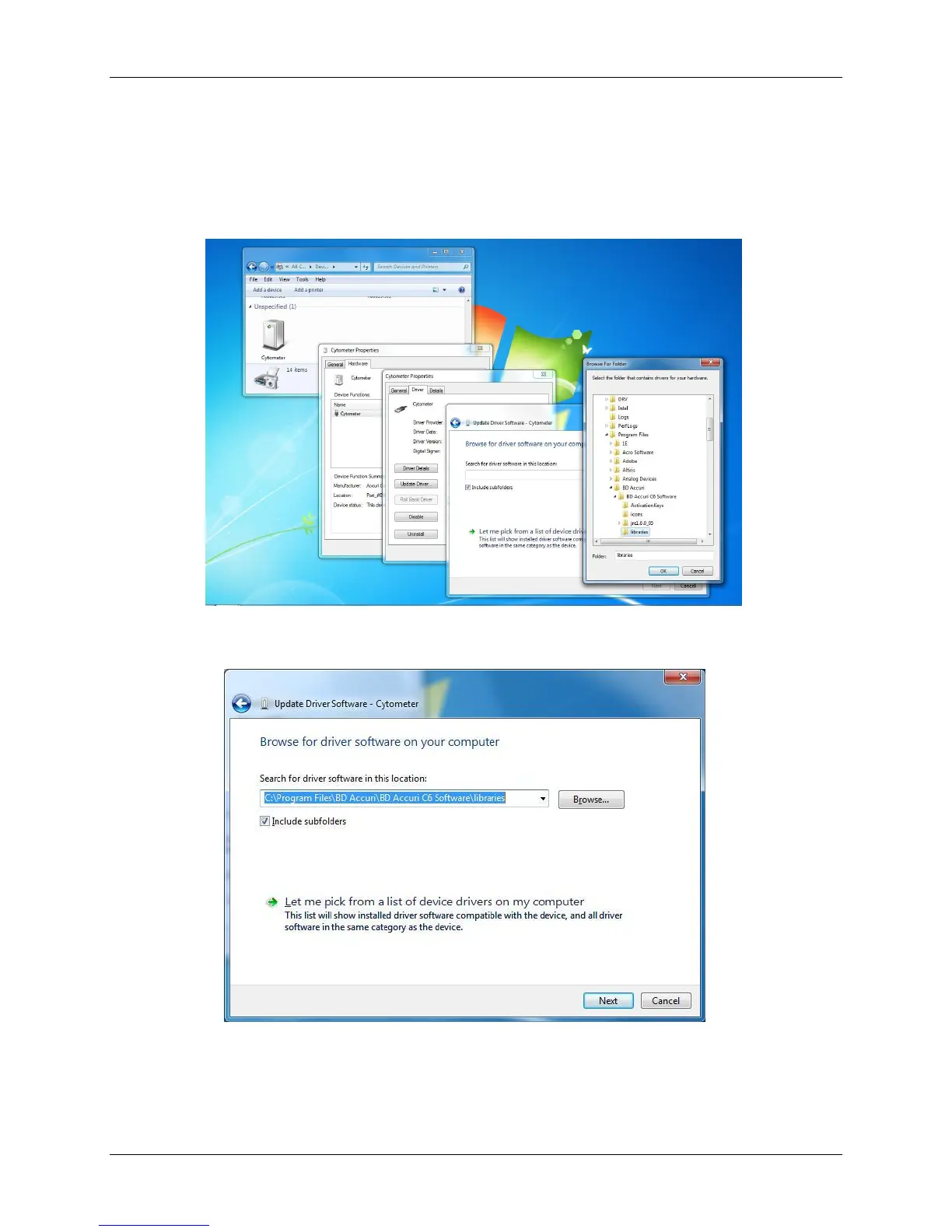
Navigate to the location of the driver software and specify the following path:
C:\Program Files\BD Accuri\BD Accuri C6 Software\libraries
Then click on the OK button to enter the selected path into the Browse window.
Figure 5-1. Browse For Folder Dialog Box
Click the Next button.
Figure 5-2. Update Driver Software – Cytometer, Second Dialog Box
When the Windows Security dialog box shown below opens, click on Install
this driver software anyway.












 To Next Page