BD Accuri C6 Flow Cytometer Instrument Manual
7820018 Rev-2 17
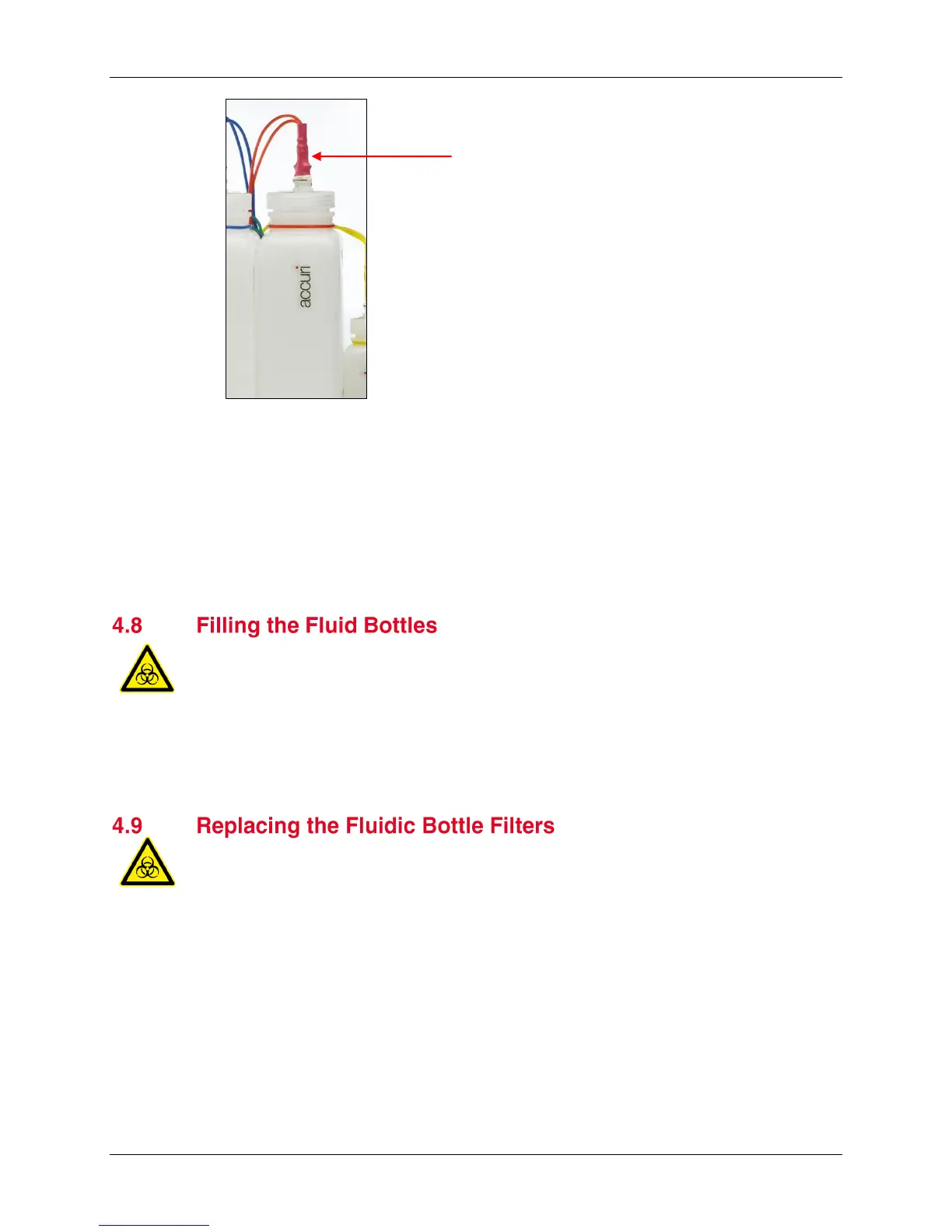
Figure 4-2. Waste Line Quick Disconnect
2. Remove the bottle lid.
3. Dispose of waste according to local regulations.
4. Add approximately 100 mL of 0.5% NaOCl to the Waste bottle.
5. Replace the lid.
6. Reattach the waste line to the top of the bottle.
Before turning on the cytometer, visually check all the bottles and fill the sheath,
decontamination, and cleaning solution bottles as needed.
NOTE: The cytometer is a non-pressurized system. If necessary, any of the bottles
can be opened while the cytometer is powered on.
NOTE: BD Accuri C6 Software displays a message when the fluid bottles need
attention or if a bottle level sensor is improperly connected.
Each of the sheath, cleaner, and decontamination bottles contain a disk filter.
Replace these filters (PN 653147) every two months. Wear appropriate safety attire
such as protective gloves and eyewear when performing this procedure.
1. Disconnect the quick connect lines from the top of each bottle.
2. Carefully remove the lid from each bottle.
3. Disconnect the filter luer lock at the end of the fluidic tubing. Discard the filter
according to standard laboratory protocols and regulations.
4. Replace the filter with the appropriate part:
Sheath bottle—large disk filter
Cleaner and decontamination bottles—small disk filter
5. Reassemble the bottles and reconnect the quick connect lines.
Waste line quick disconnect












 To Next Page