Understanding SAP Events
BEA WebLogic Adapter for SAP User’s Guide 8-9
One type of partner is a logical system. A logical system manages one or more RFC
destinations. For more information, see How to Create a Logical System on page 8-10.
4. Create a partner profile.
A partner profile is a definition of parameters for the electronic interchange of data
with a trading partner using the IDoc interface. To communicate with a partner using
the IDoc interface, you must create a partner profile. For more information, see How to
Create a Partner Profile on page 8-11.
5. Create a distribution model for the partner and message type.
You create a distribution model for the partner and message type you designated. For
more information, see How to Create a Distribution Model for the Partner and Message
Type on page 8-13.
6. Test the SAP event adapter. For more information, see Testing the SAP ALE Configuration
on page 8-16.
Procedure: How to Define a Port
To define a port:
1. In the ALE configuration, choose Tools, Business Communications, IDocs Basis, IDoc, and
then Port Definition or execute the WE21 transaction.
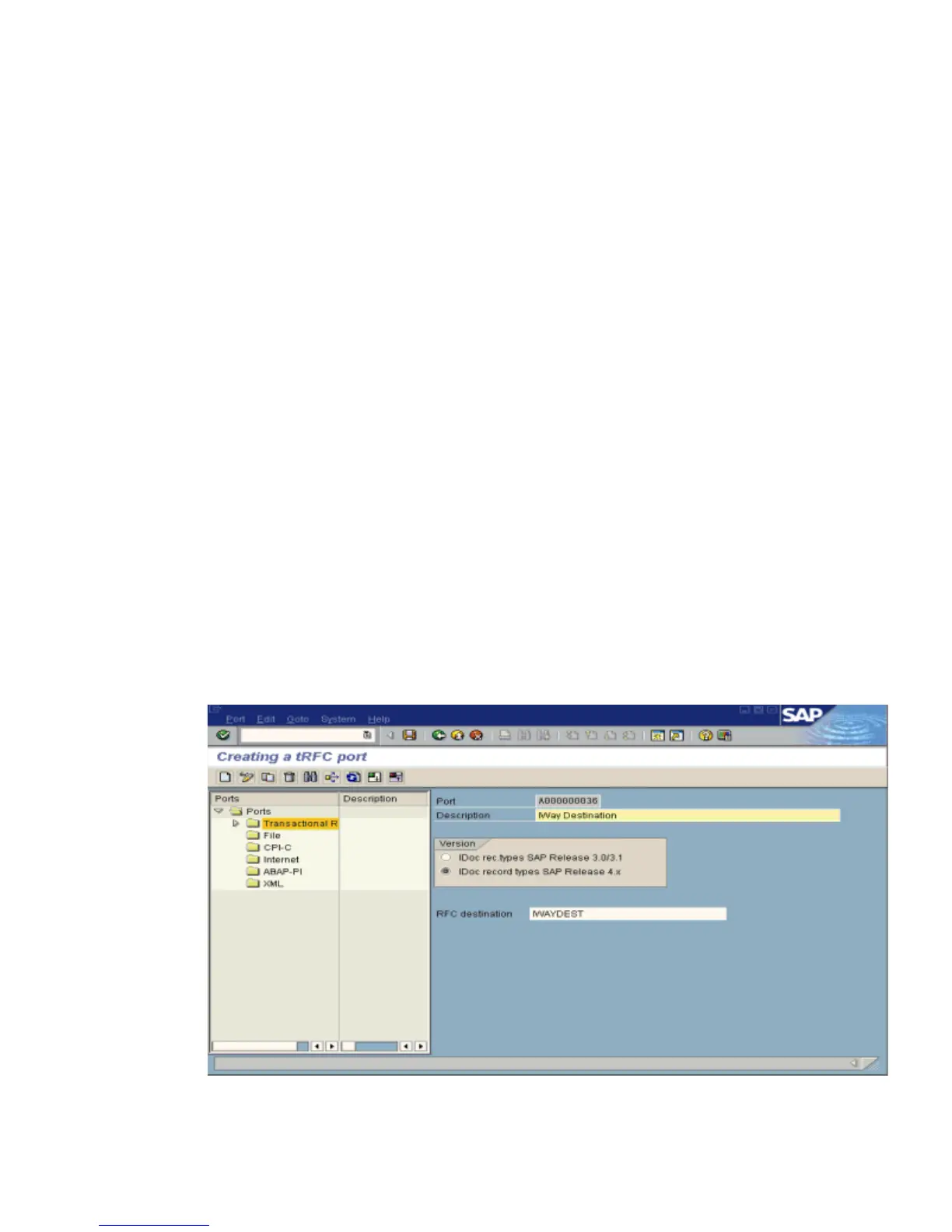
The Creating a tRFC port window opens as shown in the following image. On the left,
the window is divided into a Ports pane and a Description pane. A pane for displaying
information about the port is on the right.



 To Next Page