Understanding SAP Events
BEA WebLogic Adapter for SAP User’s Guide 8-13
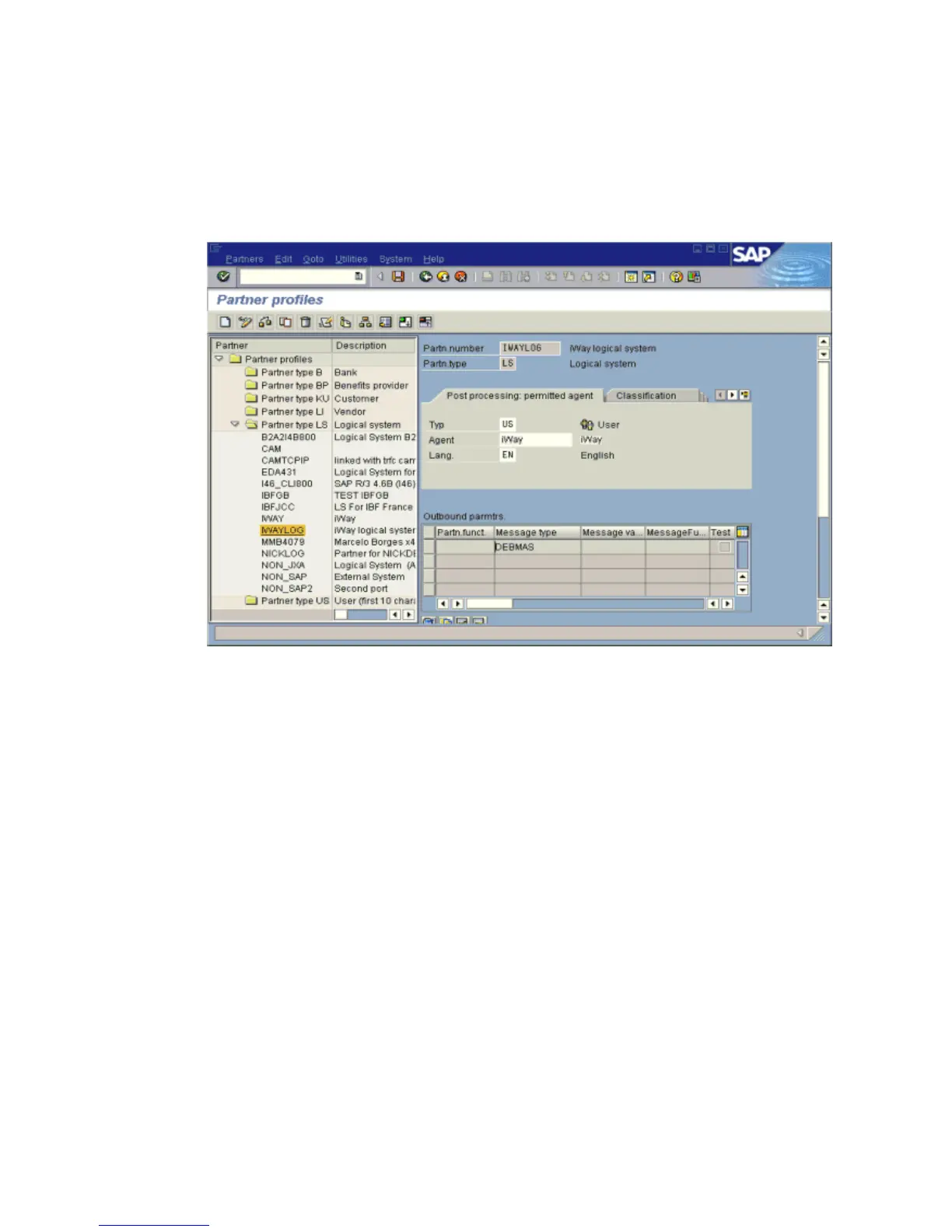
The Partner profiles summary window opens and displays information for the logical
system that you created as shown in the following image. In the left pane are partners
and descriptions. The right pane displays information depending on which tab is
active.
Collected IDocs
When using collected IDocs on any platform during inbound processing (service mode), if
the DOCNUM field does not have a unique document number for each IDoc, the system
creates an IDoc for each header record in the collected IDoc file and duplicates the data for
each IDoc.
Make sure the DOCNUM field is included in the EDI_DC40 structure and that each IDoc has
a unique sequence number within the collected IDoc file.
Procedure: How to Create a Distribution Model for the Partner and Message Type
To create a distribution model called IWAYMOD:
1. In the SAP Workbench, choose Tools, AcceleratedSAP, Customizing, and then Project
Management or execute the BD64 transaction.
The Display Distribution Model window opens.
2. Select Create model view. (If required, switch processing mode to edit within
Distribution Model/Switch Processing Mode.)
3. Type a short text string and a technical name for your new model view.



 To Next Page