Application Link Enabling Configuration for the Event Adapter
8-14 BEA Systems, Inc.
4. Click the Save button.
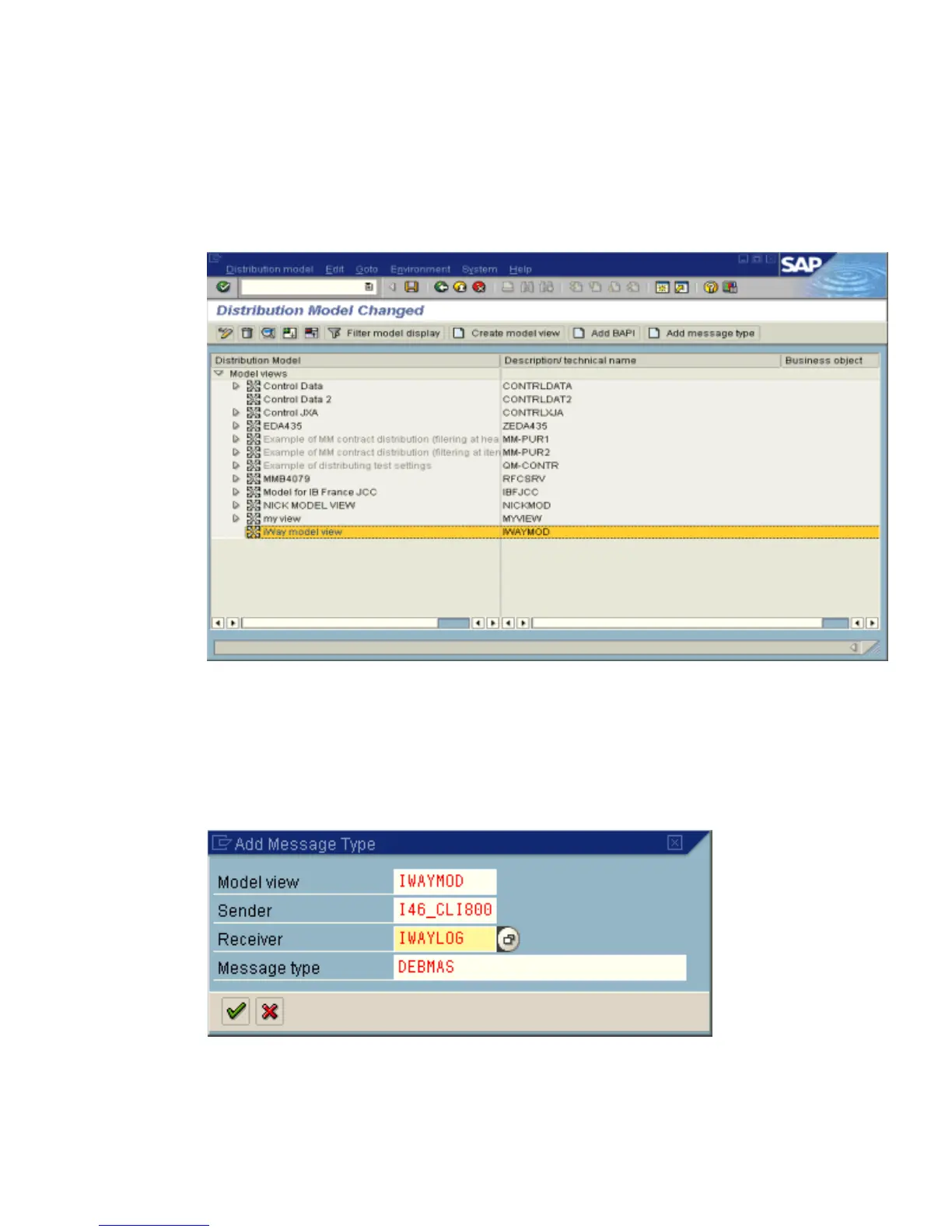
The Distribution Model Changed window opens with a tree structure of the
distribution model in the left pane and the descriptions or technical names in the right
pane, as shown in the following image.
5. In the Distribution Model tree, select a new model view.
6. At the right, in the button bar, select Add message type.
The Add Message Type pane opens and displays the name of the model view. It
includes fields for specifying the sender and receiver of the message, as well as the
message type, as shown in the following image.
a. In the Sender field, provide the sender that points to the SAP system that sends the
IDoc, for example, I46_CLI800.



 To Next Page