Configuring SAP Inbound Processing
BEA WebLogic Adapter for SAP User’s Guide 2-9
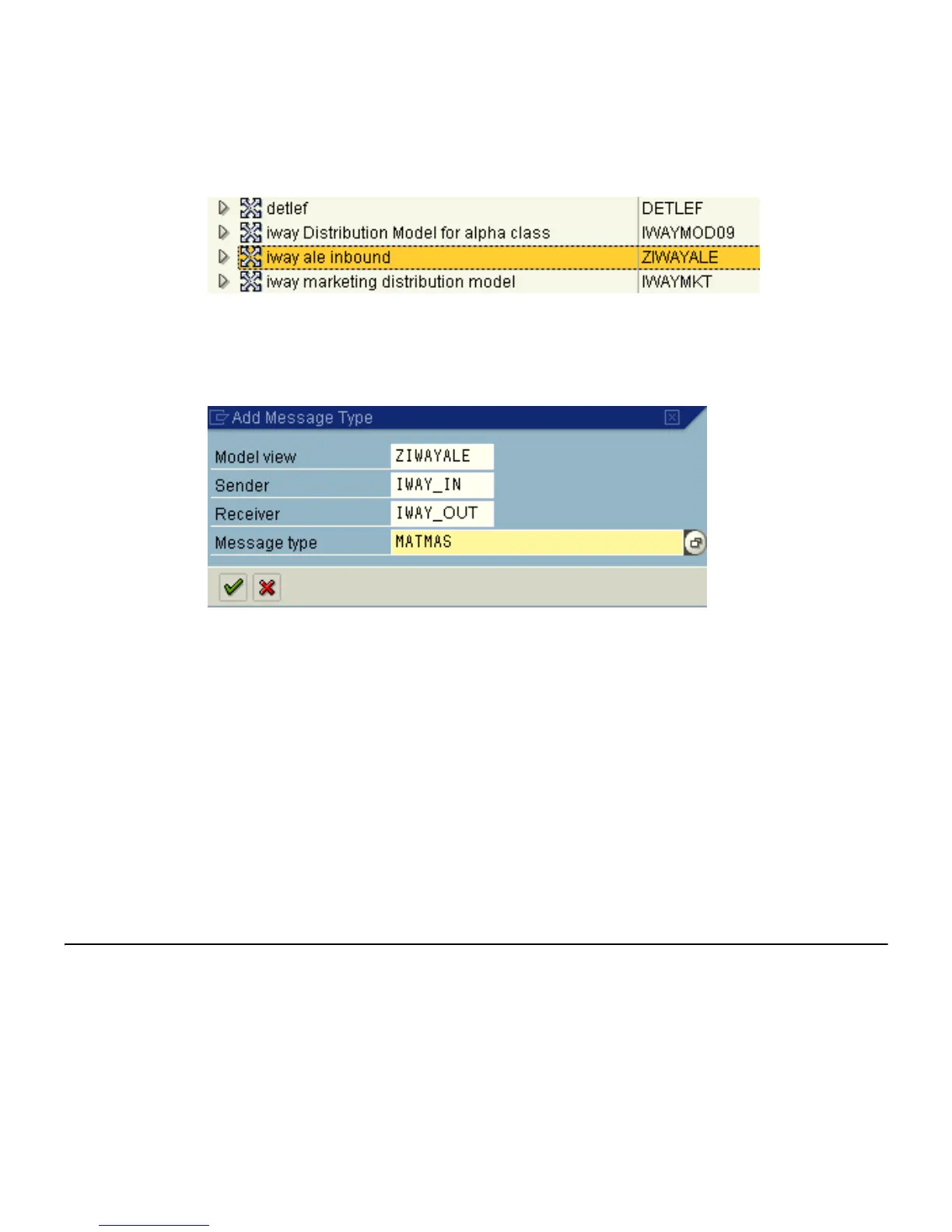
The distribution model you configured is now added to the list as shown in the
following image.
6. Click the Add message type button.
The Add Message Type window opens and includes fields where you can name and
specify your message type.
a. In the Sender field, type the logical system you configured, for example, IWAY_IN.
b. In the Receiver field, type the logical system you configured, for example,
IWAY_OUT.
c. In the Message type field, type the message type to use, for example, MATMAS.
To browse from a list of available message types, you can click the icon to the right
of the field.
7. To enter the information, click the checkmark.
You are returned to the main Change Distribution Model window.
8. Click Save.
Defining a Partner Profile
Partner profiles are a requirement for data exchange. You define who can exchange
messages with the SAP system using a specified port.



 To Next Page