Adding a Control for a Resource in BEA WebLogic Workshop
A-26 BEA Systems, Inc.
Adding a Control for a Resource in BEA WebLogic Workshop
Java controls provide a convenient way to incorporate access to resources. You can add
controls in BEA WebLogic Workshop to use Web services created by Application Explorer, or
you can add controls that enable you to take advantage of the JCA resources of Application
Explorer.
Adding a Web Service Control to a BEA WebLogic Workshop Application
After you create a Web service using Application Explorer and export the WSDL file, you can
create a control for the Web service.
For more information on exporting a WSDL file, see How to Export WSDL for Use in BEA
WebLogic Workshop Workflows on page A-22.
Procedure How to Add a Web Service Control
To add a Web service control:
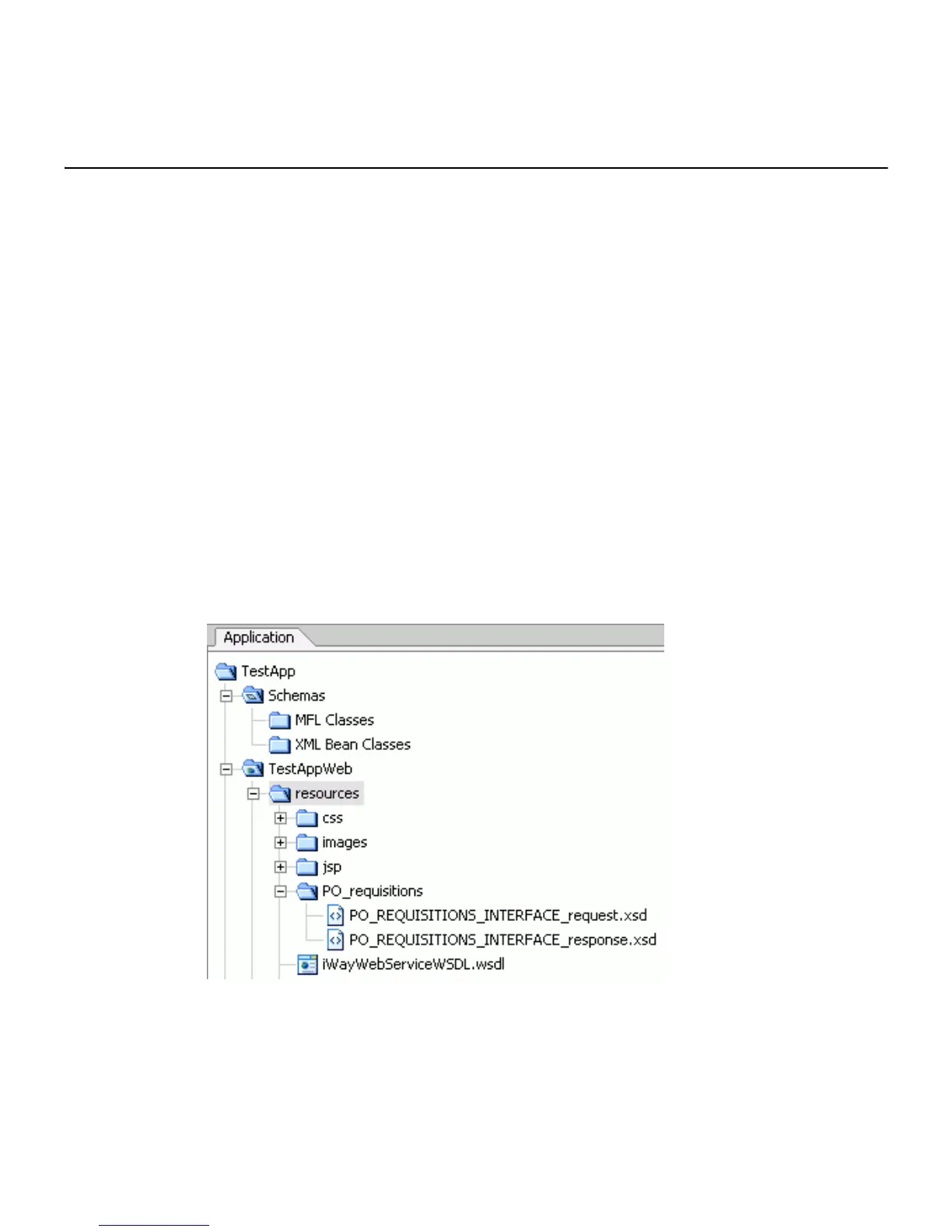
1. After exporting the WSDL file from Application Explorer, locate the file in the
Application tab of your BEA WebLogic Workshop application.
For example, a WSDL file saved to the \resources directory in your BEA WebLogic
Workshop Web application directory structure appears as follows.
2. Right-click the WSDL file and select Generate Service Control.
The control for the WSDL appears below the WSDL file in the resources tree.



 To Next Page