Using Application Explorer in BEA WebLogic Workshop to Create XML Schemas and Web Services
BEA WebLogic Adapter for SAP User’s Guide A-3
Creating a New Configuration for iBSE or JCA
Before you can start using Application Explorer, you must define a new configuration for
iBSE or JCA.
Procedure How to Create a New Configuration for iBSE or JCA
To create a new configuration:
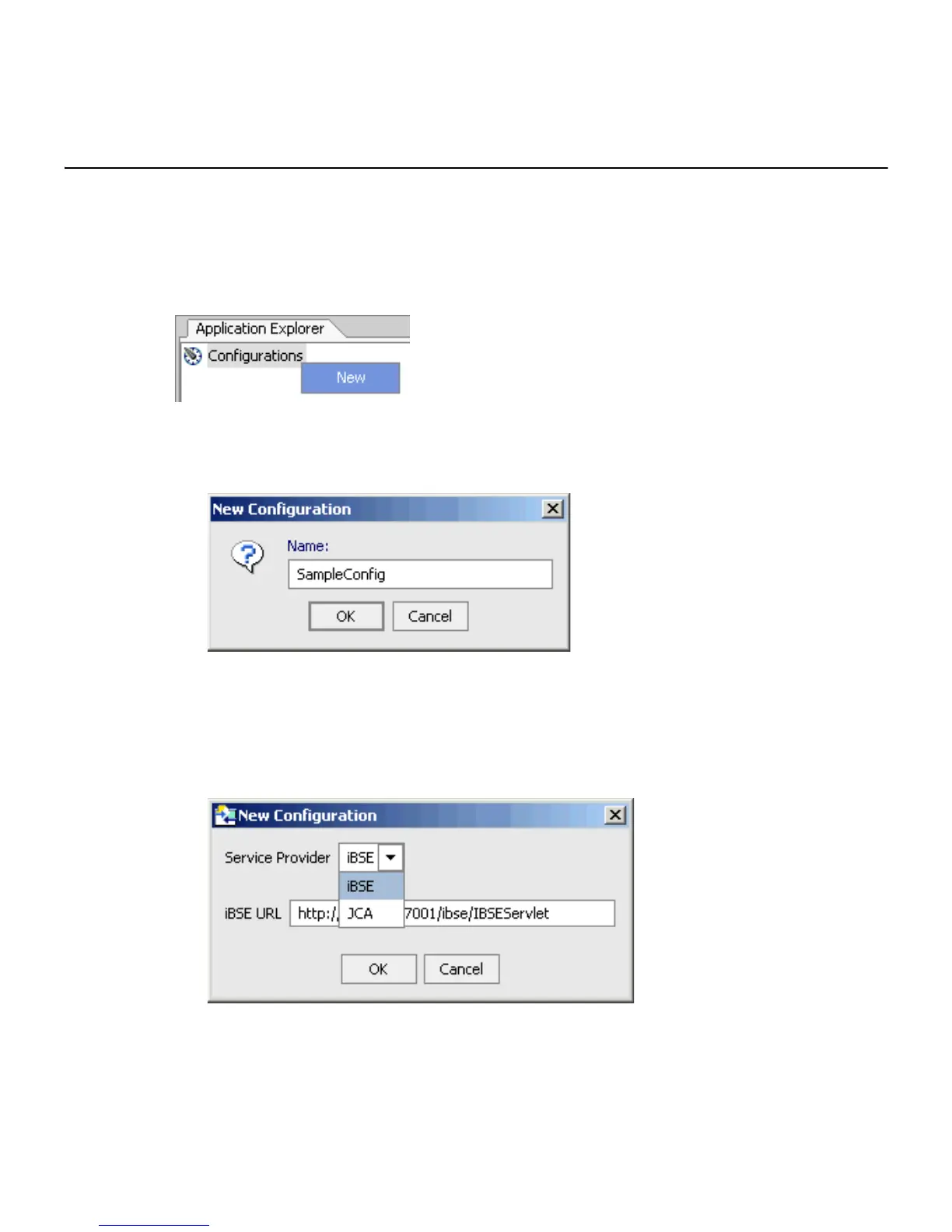
1. Right-click Configurations and select New.
The New Configuration dialog box opens.
2. Type the name of the new configuration and click OK.
Note: If you are creating a new JCA configuration, type base in the name field. You must
use this value if you are pointing to the default configuration.
The following dialog box opens.
3. From the Service Provider drop-down list, select iBSE or JCA.
• If you select iBSE, type the URL for iBSE, for example,



 To Next Page