Application Link Enabling Configuration for the Event Adapter
8-12 BEA Systems, Inc.
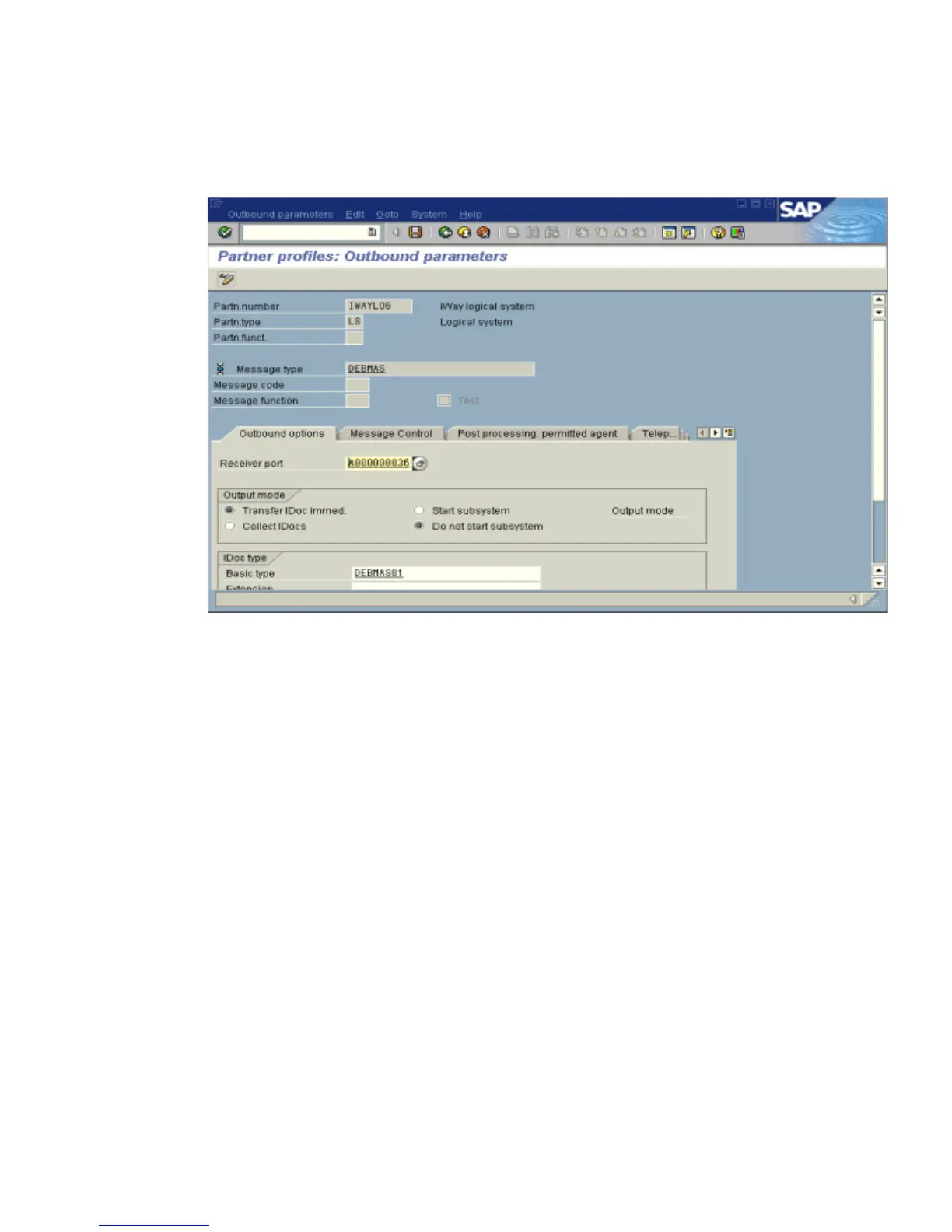
The Partner profiles: Outbound parameters window opens and displays fields for
specifying details for the partner profile as shown in the following image.
a. Select Partner type LS (Logical system).
b. Press F5 (Create).
2. For Type, enter USER.
3. For Agent, enter the current user ID, or you may select another agent type.
4. Under the outbound parameter table control, select Create outbound parameter.
Partn.type is LS.
Message type is DEBMAS (the IDoc document type).
5. Leave Partn.funct blank.
6. Click the Outbound options tab.
a. Depending on your performance requirements, click Transfer IDoc Immed or Collect
IDocs.
b. For the IDoc, type a message type, for example, DEBMAS.
c. Type a receiver port, for example, A000000036.
7. Save the session and exit.



 To Next Page