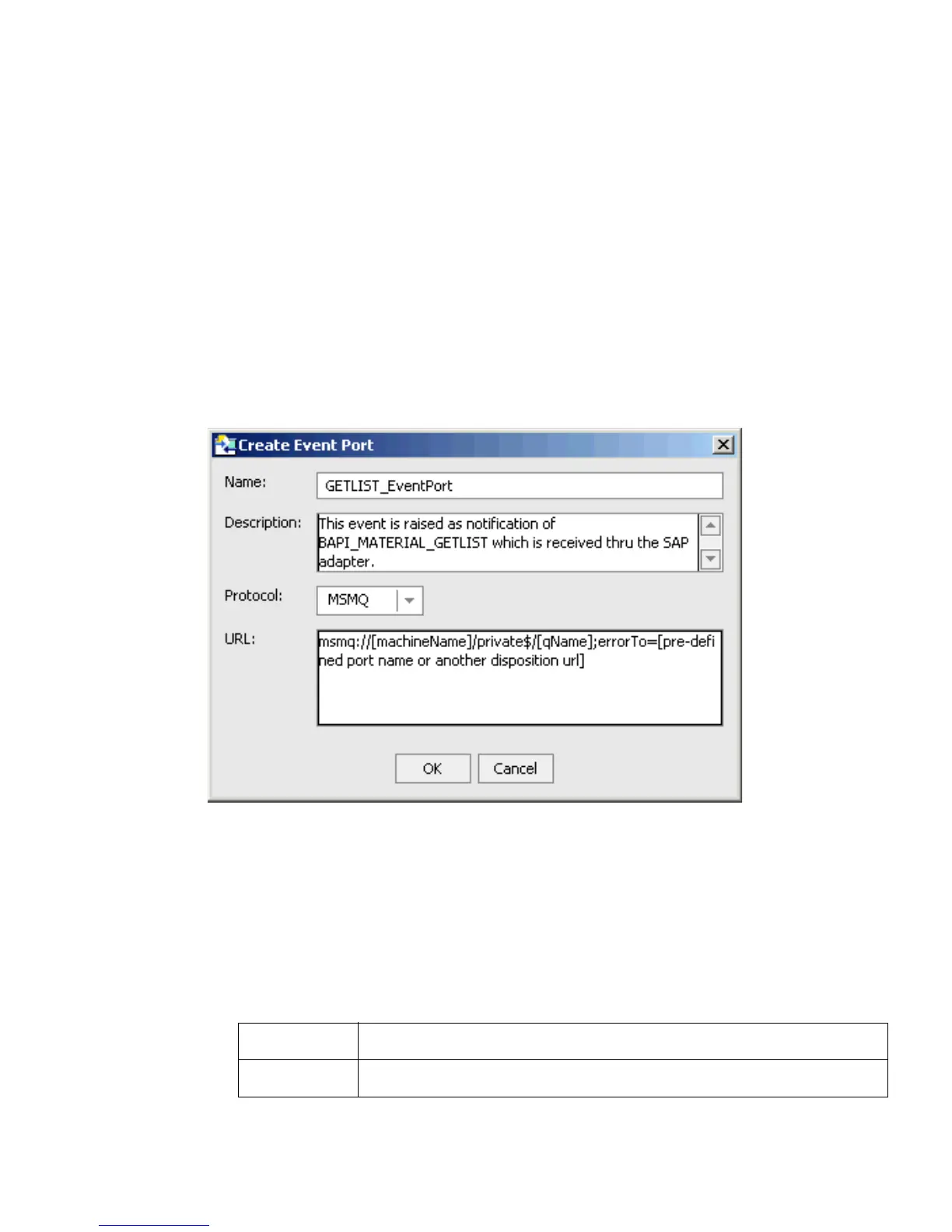
Creating an Event Port
B-8 BEA Systems, Inc.
The event port you created appears in the left pane under the Ports node.
In the right pane, a table appears that summarizes the information associated with the
port you created. You are ready to associate the event port for IBSE with a channel.
Procedure How to Create a Port for the MSMQ Disposition
The MSMQ disposition supports public and private queues.
To create a port for MSMQ:
1. In the Business Object Repository, right-click the BAPI_MATERIAL_GETLIST method and
select Create Event Port.
The Create Event Port dialog box opens.
a. In the Name field, type a name for the event port, for example, GETLIST_EventPort.
b. In the Description field, type a brief description.
c. From the Protocol drop-down list, select MSMQ.
d. In the URL field, enter an MSMQ destination using the following format:
msmq:/host/queueType/queueName[;errorTo=errorDest]
The following table defines the disposition parameters.
Parameter Description
host Name of the host on which the Microsoft Queuing system runs.



 To Next Page