Using Application Explorer in BEA WebLogic Workshop for Event Handling
BEA WebLogic Adapter for SAP User’s Guide B-15
2. Click OK.
The event port you created appears in the left pane under the Ports node.
In the right pane, a table appears that summarizes the information associated with the
port you created. You are ready to associate the event port for HTTP with a channel.
Procedure How to Create a Port for the MQ Series Disposition
The MQ Series disposition allows an event to be enqueued to an MQ Series queue. Both
queue manager and queue name may be specified. To create a port for MQ Series:
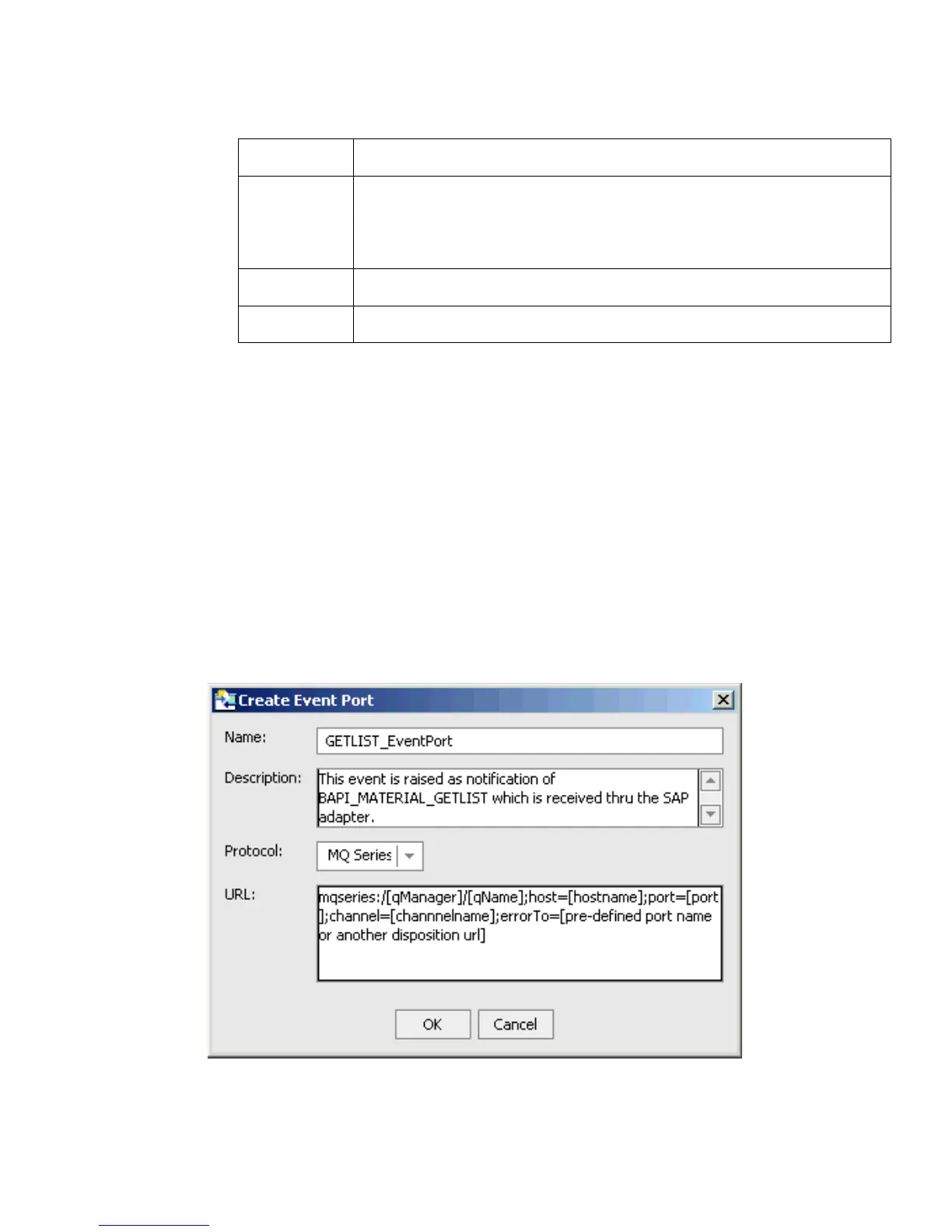
1. Select the BAPI_MATERIAL_GETLIST method from the Business Object Repository.
2. Right-click the method and select Create Event Port.
The Create Event Port dialog box opens.
a. In the Name field, type a name for the event port, for example, GETLIST_EventPort.
respDest The location to which responses are posted. Optional.
This can be a predefined port name or another disposition URL.
The URL must be complete, including the protocol.
host Name of the host on which the Web server resides.
port Port number on which the Web server is listening.
Parameter Description



 To Next Page